Best Gaming Laptop Under 70,000 in 2025: Finding the best gaming laptop under ₹70,000 in India can feel overwhelming. With so many options promising “ultimate performance,” it’s easy to get confused about which one is truly worth your money. The ₹70K budget is actually a sweet spot for Indian gamers—you can get powerful Intel 12th/13th Gen or AMD Ryzen 7 processors, RTX 3050/4050 graphics cards, and smooth 144Hz displays without overspending.
Unlike ultra-budget machines that compromise on graphics, or premium laptops that go beyond ₹1 lakh, this range offers a perfect balance of performance, portability, and value for money. Whether you’re into competitive gaming, content creation, streaming, or heavy multitasking, laptops under this budget can easily handle it.
In this guide, I’ve handpicked some of the most reliable and performance-packed gaming laptops under 70K in 2025. We’ll explore their specs, real-world performance, pros & cons, and even the best use-cases so you know exactly which one suits you best.
✅ Things to Consider Before Buying a Gaming Laptop Under ₹70,000
Buying a gaming laptop isn’t just about chasing the highest specs. You should look for a balanced combination of performance, durability, and future-proofing. Here are the key factors you must check:
⚡ Processor (CPU):
Look for at least Intel 12th/13th Gen i5/i7 or AMD Ryzen 7 7000 series. These CPUs provide better multi-core performance for both gaming and heavy tasks like editing or rendering.🎨 Graphics Card (GPU):
At this price range, go for NVIDIA RTX 3050 / 3050Ti / 4050. RTX 4050 offers the most value in 2025 with better ray tracing and DLSS 3 support. Avoid laptops with older GTX cards.💾 RAM & Storage:
16GB RAM is now a must for smooth gaming and multitasking. For storage, 512GB SSD should be the minimum, but if you find 1TB SSD under this price, that’s a bonus.🖥️ Display:
A 144Hz refresh rate with Full HD (1920×1080) resolution is ideal for gamers. Higher refresh rates mean smoother visuals in fast-paced titles like Valorant, Apex Legends, or CS2.❄️ Cooling System:
Gaming laptops get hot. Look for dual-fan cooling systems or brands known for thermal efficiency (ASUS TUF, Lenovo LOQ, HP Victus).🔋 Battery Life:
While gaming laptops don’t offer great battery backup, you should still check for at least 4–5 hours of normal usage.🛠️ Build Quality & Warranty:
A strong chassis, good keyboard, and after-sales service matter. Lenovo, HP, ASUS, and Dell usually offer reliable service networks in India.
⚡ Quicklist: Things to Consider Before Buying a Gaming Laptop Under ₹70,000
✅ Go For:
Latest Processors: Intel 12th/13th Gen i5/i7 or AMD Ryzen 7 (7435HS/7445HS).
Powerful GPU: RTX 3050 (minimum), RTX 4050 for future-proof gaming.
Memory Upgrade: 16GB RAM (expandable preferred).
Fast Storage: NVMe SSD (512GB or 1TB).
High Refresh Display: 120Hz/144Hz FHD panel for smoother visuals.
Cooling System: Dual-fan or advanced thermal design for longer gaming sessions.
Build & Keyboard: Durable body with RGB/backlit keyboard for comfort.
Service & Warranty: Reliable brands like HP, Lenovo, ASUS, Dell.
❌ Avoid:
Old GPUs: GTX 1650/1650Ti—too outdated in 2025.
Low RAM: 8GB without upgrade option will bottleneck games.
Basic Displays: 60Hz panels make games look choppy.
Slow Storage: HDDs or eMMC drives—bad for loading times.
Heating Issues: Laptops with poor airflow = performance drops.
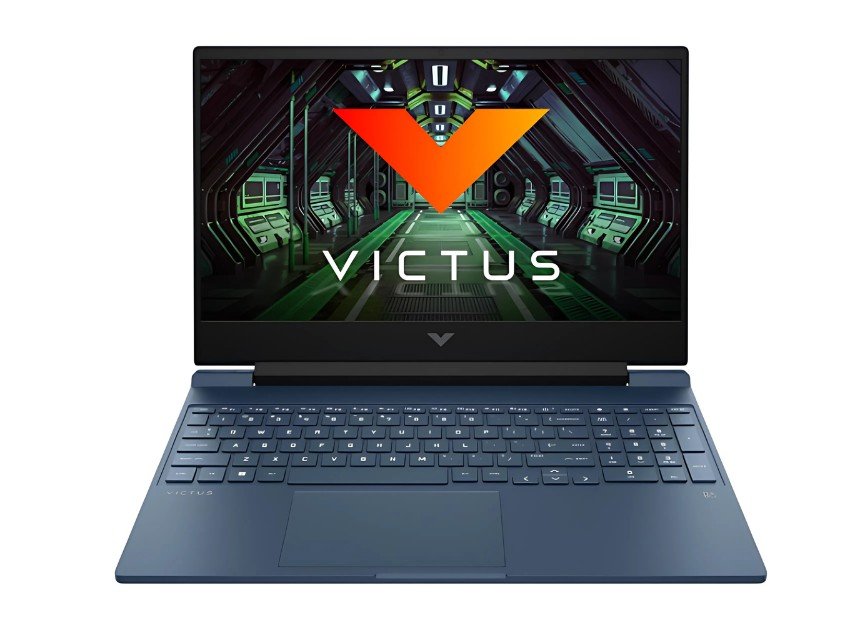
HP Victus 15(RTX 4050)
Price:- ₹72,990 /-
Specifications:-
| Component | Details |
|---|---|
| CPU | Intel Core i5-13420H (13th Gen) |
| GPU | NVIDIA GeForce RTX 4050, 6 GB GDDR6 |
| RAM | 16 GB DDR4 (3200 MHz) |
| Storage | 512 GB SSD (NVMe) |
| Display | 15.6″ Full HD, IPS, 144 Hz, anti-glare, 300 nits |
| Battery | 4-cell, ~70 Wh (up to ~5 hours light use) |
| Weight | ~2.29 kg |
| Ports & Extras | USB-C, HDMI 2.1, backlit keyboard, cooling vents, etc. |
Okay bro, picture this: you fire up Valorant or CS2 on this laptop — the RTX 4050 and the 144 Hz screen deliver buttery-smooth framerates (often 120–140 fps on medium–high). The display’s response is solid and you don’t feel any dragging. For bigger titles like Cyberpunk or Assassin’s Creed, you may need to dial down a few settings, but the experience remains pretty immersive.
In extended gaming sessions (1–2 hours), yes, the bottom chassis might feel warm around the vents, but HP’s thermal layout (dual vents, airflow pathways) ensures it doesn’t throttle too harshly. During regular use — browsing, coding, watching videos — it’s smooth, snappy. The backlit keyboard helps when you game in low light, too.
Now about portability — 2.29 kg isn’t lightweight, but for a gaming machine under ₹70K, it’s acceptable. If you often carry your laptop to cafes or college, it’s manageable. And yes, storage could be tight if you download many triple-A games, so keeping an external SSD or upgrading later helps.
👍 Pros
✅ RTX 4050 gives excellent 1080p gaming performance
✅ Smooth 144Hz Full HD display
✅ 16GB RAM + SSD ensures fast multitasking
✅ Decent cooling system for long sessions
✅ Backlit keyboard + strong HP service support
👎 Cons
❌ Can heat up during heavy gaming
❌ Slightly heavy (2.2kg+) for carrying around
❌ Battery backup is average
❌ 512GB SSD fills up quickly
🎯 Best Use-Case Suggestions (Where This Shines)
Gaming (Competitive / AAA): Strong choice. For esports titles, you’ll get excellent frame rates. For heavier games, medium–high settings will be your sweet spot.
Video Editing & Creative Work: 16 GB RAM + i5 + RTX 4050 gives you enough headroom to handle 1080p timelines, color grading, etc.
Students: Great for engineering projects, coding, simulations — and gaming in free time.
Streamers (Entry-level): You can stream 1080p (with OBS) while gaming (if settings balanced) but for higher-end streaming you might feel limits.
HP Victus 15(RTX 3050)
Price:- ₹67,890 /-
Specifications:-
| Component | Details |
|---|---|
| CPU | Intel Core i5-13420H (13th Gen, up to 4.6 GHz) |
| GPU | NVIDIA GeForce RTX 3050, 6GB GDDR6 |
| RAM | 16GB DDR4 (expandable) |
| Storage | 512GB NVMe SSD |
| Display | 15.6″ Full HD, 144Hz refresh rate |
| Battery | 4-cell, ~5 hours normal use |
| Weight | ~2.3 kg |
| Extras | Backlit keyboard, HP Omen Gaming Hub, dual fans |
The HP Victus 15 RTX 3050 model is a more affordable option compared to the RTX 4050 version. It packs the latest Intel 13th Gen i5 processor and a 6GB RTX 3050 GPU, which is still capable of running popular esports games like Valorant, CS2, GTA V and even heavier AAA titles at medium settings.
The laptop feels well-built, and HP has improved its cooling system, though it can get warm under long gaming hours. With a 144Hz panel, the visuals are smooth and responsive, making it a solid choice for gamers who want a balance of price and performance under ₹70K.
👍 Pros
✅ RTX 3050 (6GB) handles esports & AAA titles decently
✅ 13th Gen Intel i5 is powerful for gaming & multitasking
✅ 144Hz display for smooth gameplay
✅ 16GB RAM standard — no need for an immediate upgrade
✅ Reliable HP service & warranty in India
👎 Cons
❌ RTX 3050 is weaker compared to RTX 4050 in newer games
❌ Average battery life (3–4 hrs gaming)
❌ Slightly heavy (2.3kg)
❌ Limited storage (512GB SSD)
🎯 Best Use-Case Suggestions
Gamers on a Budget: Solid entry-level RTX gaming without overspending
Students + Gaming: Great for college projects and weekend gaming
Casual Streamers: Can handle basic 1080p streaming with OBS
Everyday Multitasking: Smooth for browsing, office apps, and light editing
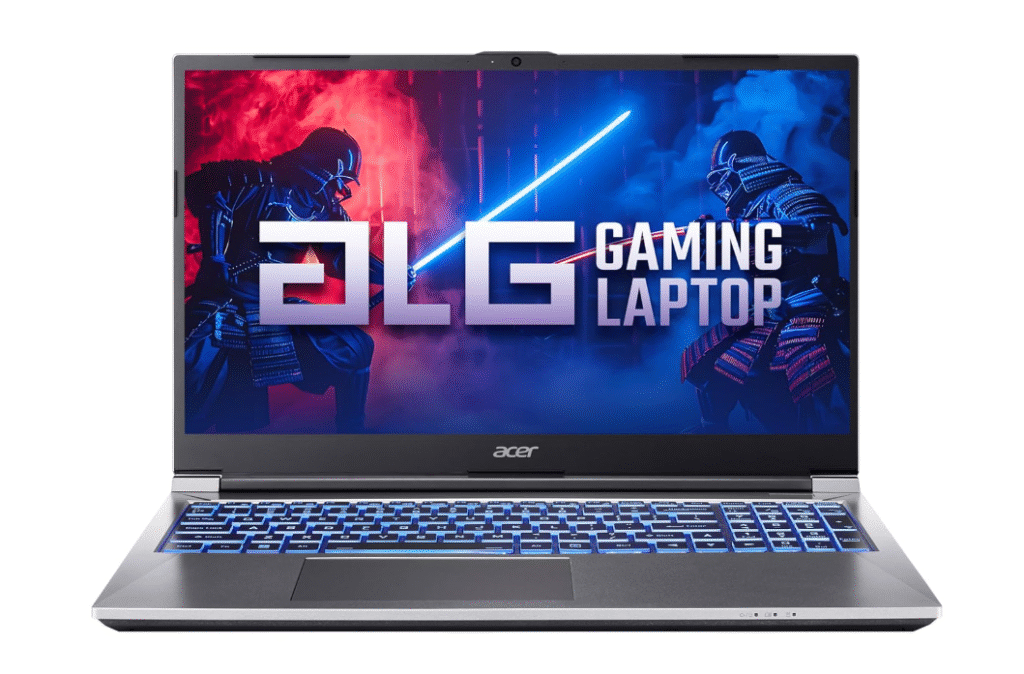
Acer ALG
Price:- ₹70,650 /-
Specifications:-
| Component | Details |
|---|---|
| CPU | Intel Core i7-13620H (13th Gen) |
| GPU | NVIDIA GeForce RTX 3050, 6 GB |
| RAM | 16 GB DDR4 (expandable) |
| Storage | 1 TB SSD (NVMe) |
| Display | 15.6″ Full HD, 144 Hz panel |
| Battery | ~4-5 hours for light use (gaming will drain faster) – typical for this class |
| Weight | ~1.99 kg |
| Extras / Ports | Backlit keyboard, cooling vents, standard IO ports (USB, HDMI etc.) |
The Acer ALG i7 (13th Gen / RTX 3050) is a strong mid-tier gaming laptop that leans into getting you good performance without pushing you into overbudget territory. With the i7 13620H, you’ve got decent multitasking and gaming headroom. The RTX 3050 handles esports and many triple-A titles at medium settings nicely at 1080p, especially thanks to that 144 Hz display.
One big plus is 1 TB SSD, which means you won’t be scrambling to uninstall older games or carry external drives early on. The weight of ~1.99 kg is respectable for a gaming machine in this range — portable enough for college or café use, though you’ll feel it in a backpack for long durations.
Thermal performance is okay; during longer sessions, it may get warm (especially on the underside or near vents). But for regular gaming bursts or study + gaming mix, it’s reliable and gives you more value per rupee.
👍 Pros
✅ Strong i7 + RTX 3050 combo for 1080p gaming
✅ 1 TB SSD gives you ample storage from day one
✅ Lightweight (~1.99 kg) in its class
✅ 144 Hz panel makes fast action smoother
✅ Expandable RAM / storage options
👎 Cons
❌ RTX 3050 will struggle in newer AAA games at ultra settings
❌ Gets warm under heavy load
❌ Battery life is average
❌ No fancy extras (like very high refresh, exotic cooling)
🎯 Best Use-Case Suggestions (Where This Shines)
Esports & Multiplayer Gaming: Valorant, CS2, Apex Legends — you’ll get solid frame rates.
Mid-range AAA Titles: On medium to high settings (depending on optimization).
Students + Developers: Enough power for coding, compiling, virtual machines + gaming downtime.
Light Content Work: Video editing at 1080p, Photoshop, etc. — doable.
Everyday Use: Browsing, streaming, office work — very smooth.
HP Victus 15( i7 – 12650H)
Price:- ₹69,490 /-
Specifications:-
| Component | Details |
|---|---|
| CPU | Intel Core i7-12650H (12th Gen, up to 4.7 GHz) |
| GPU | NVIDIA GeForce RTX 3050Ti, 4GB GDDR6 |
| RAM | 16GB DDR4 (expandable) |
| Storage | 512GB NVMe SSD |
| Display | 15.6″ Full HD, IPS, 144Hz refresh rate |
| Battery | 4-cell, up to 5 hours (normal use) |
| Weight | ~2.3 kg |
| Extras | Backlit keyboard, dual-fan cooling, Omen Gaming Hub |
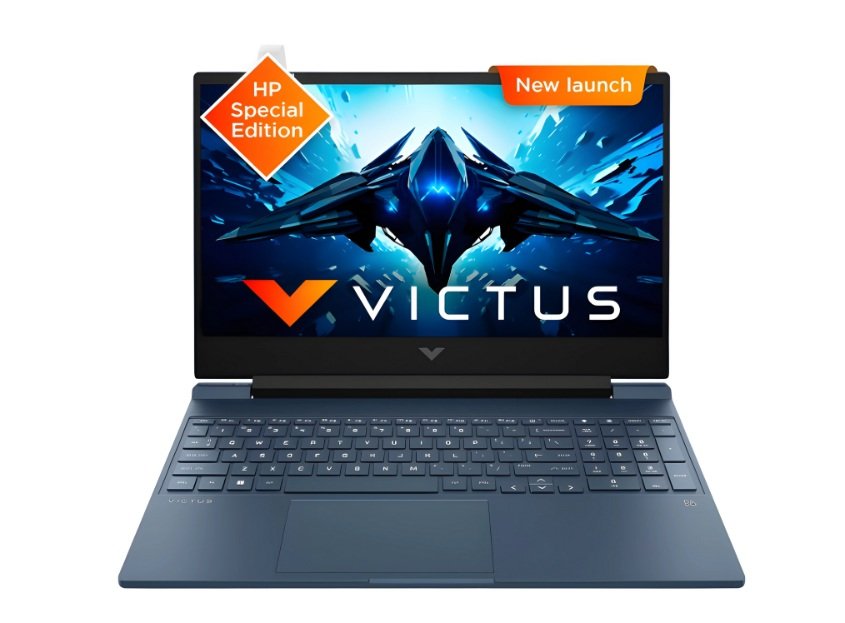
The HP Victus 15 i7 + RTX 3050Ti is a solid choice for gamers who want a bit more power than the RTX 3050 model. The 12th Gen i7 processor packs 10 cores, which makes it great for multitasking, heavy applications, and long gaming sessions. Paired with the RTX 3050Ti, you’ll see smoother performance in modern titles compared to the standard RTX 3050, especially at higher settings.
The build is sturdy, the keyboard feels gamer-friendly with backlighting, and the cooling design handles long hours decently (though expect it to get warm under stress). The only drawback is 512GB storage, which may feel tight if you’re into multiple big AAA titles.
👍 Pros
✅ Powerful 12th Gen i7 CPU for gaming + productivity
✅ RTX 3050Ti outperforms standard 3050 in most games
✅ 144Hz FHD display for smoother visuals
✅ 16GB RAM standard, no upgrade needed initially
✅ Reliable HP after-sales service
👎 Cons
❌ Storage is limited (512GB SSD)
❌ Battery drains quickly during gaming
❌ Slightly heavy at ~2.3kg
❌ Can get warm under long load
🎯 Best Use-Case Suggestions
AAA Gaming: Can handle titles like Cyberpunk, Elden Ring, and Assassin’s Creed on medium-high settings.
Students & Creators: Great for coding, projects, and light video editing.
Streamers: Capable of handling 1080p streaming alongside gameplay.
Everyday Use: Perfect for multitasking, browsing, and casual entertainment.
ASUS TUF Gaming A15
Price:- ₹66,990 /-
Specifications:-
| Component | Details |
|---|---|
| CPU | AMD Ryzen 7 7445HS |
| GPU | NVIDIA GeForce RTX 3050, 6 GB |
| RAM | 16 GB DDR5 (expandable) |
| Storage | 512 GB NVMe SSD |
| Display | 15.6″ Full HD, 144 Hz IPS |
| Battery | ~4-5 hours (light use) |
| Weight | ~2.2 kg |
| Extras | MIL-STD build quality, RGB backlit keyboard, good cooling design |
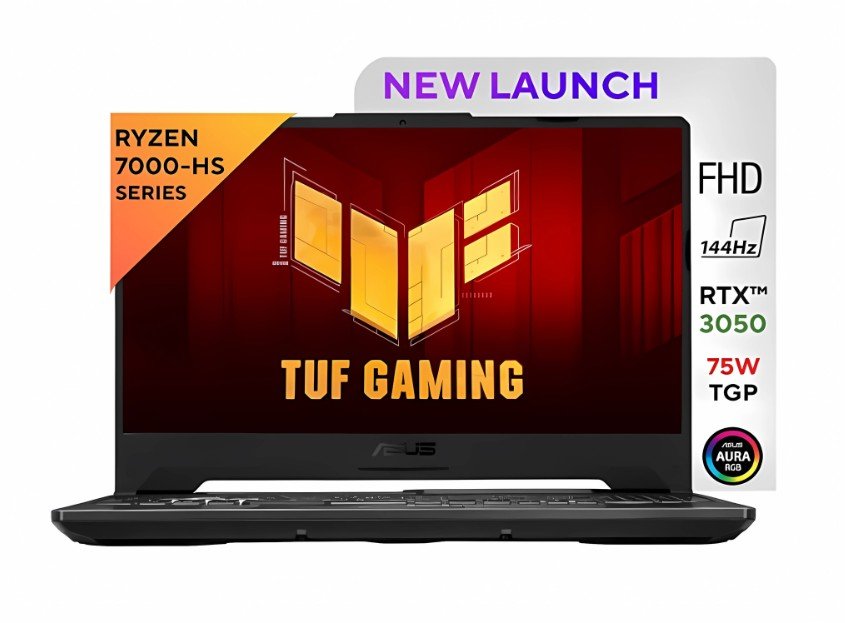
The ASUS TUF Gaming A15 is built tough — literally. It features a MIL-STD military-grade build, meaning it can endure minor bumps and everyday rigors. Powered by the Ryzen 7 7445HS, it gives strong multi-core performance for both gaming and productivity tasks. The RTX 3050 is solid for esports and many AAA games when tuned properly.
One of its highlights is the DDR5 RAM (in models that ship so) which adds future-readiness, and its cooling design is well-thought-out — with dual fans and heat pipes to keep temperatures in check. The 144 Hz display ensures fluid visuals in fast-paced games. However, as with most in this price class, battery life won’t blow your mind.
Overall, ASUS balances performance, build, and aesthetics nicely here. If you prefer a sturdy laptop that looks good and performs reliably for its price, this is a strong contender.
👍 Pros
✅ Durable “MIL-STD” build quality — rugged and sturdy
✅ Ryzen 7 + RTX 3050 gives very good 1080p gaming power
✅ DDR5 RAM gives future leeway
✅ 144 Hz IPS panel — smooth visuals
✅ Good thermal design for sustained gaming
👎 Cons
❌ Battery life is average
❌ 512 GB SSD may fill fast if you install many large games
❌ Slightly heavy (around 2.2 kg) for constant travel
❌ In AAA games, settings may need to be tuned lower
🎯 Best Use-Case Suggestions (Where This Shines)
Competitive & Esports Gaming: Very good for Valorant, CS2, Apex, etc.
Mid-Tier AAA Games: Manageable at medium to high settings
Students & Creators: Handles multitasking, programming, and editing with ease
Portable Gaming: Rugged body makes it suitable for travel and daily use
Mixed Use: Gaming + study/work in one machine without compromise
Lenovo LOQ(Ryzen 7 7435HS)
Price:- ₹65,990 /-
Specifications:-
| Component | Details |
|---|---|
| CPU | AMD Ryzen 7 7435HS |
| GPU | NVIDIA GeForce RTX 4050 (or 3050 in cheaper variant) |
| RAM | 16GB DDR5 (expandable) |
| Storage | 512GB NVMe SSD |
| Display | 15.6″ Full HD, 144 Hz IPS panel |
| Battery | ~4-5 hours light usage |
| Weight | ~2.3 kg |
| Extras | Good thermal design, RGB or backlit keyboard, robust chassis |
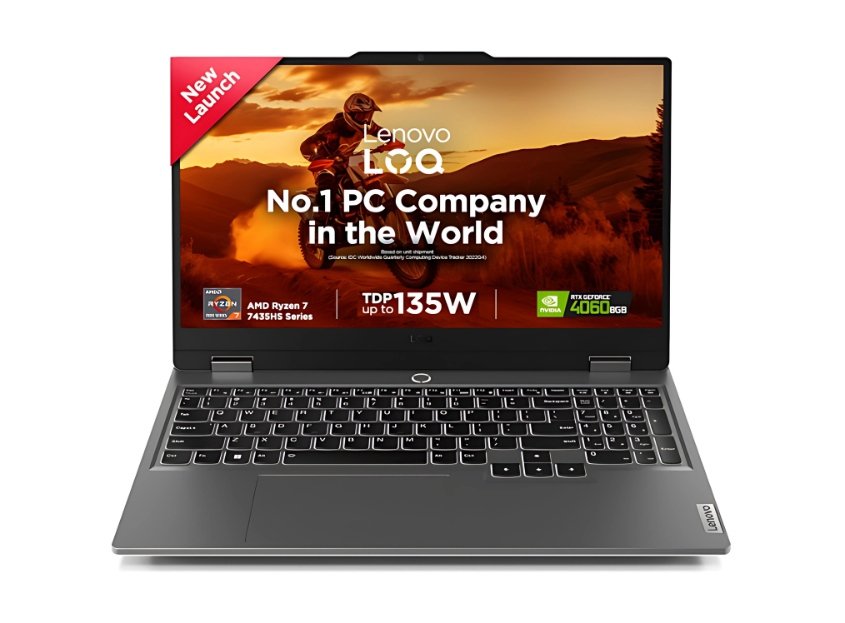
The Lenovo LOQ series is Lenovo’s push into solid gaming machines that balance performance and build quality. With the Ryzen 7 7435HS, you get strong multi-core efficiency, which helps not just in gaming but also in tasks like streaming, video editing, or compiling code. The GPU (if it is the RTX 4050 variant) gives you a significant boost over older GPUs in newer games.
One thing Lenovo does well is thermal management and build feel — the LOQ feels sturdy without too much flex, and its cooling layout keeps things in check during gaming bursts. The 144 Hz display gives smooth action visuals, and with 16GB DDR5 RAM, the system handles multitasking nicely.
A point to watch: the 512 GB SSD will get filled if you install many heavy games, so planning storage expansion is wise. Also, at ~2.3 kg, it’s not ultra-light, but acceptable for this category.
👍 Pros
✅ Ryzen 7 + RTX 4050 gives strong gaming performance in 1080p
✅ Smooth 144 Hz display for action titles
✅ Good build quality and decent thermal design
✅ 16GB DDR5 — future-ready multitasking
✅ Lenovo’s service network is good in many Indian cities
👎 Cons
❌ Storage may feel small (512 GB SSD)
❌ Battery life is average under load
❌ Slightly heavy for frequent travel
❌ In very demanding games, settings may need adjustment
🎯 Best Use-Case Suggestions
Competitive gaming: Titles like Valorant, CS2, Apex will run very well
Modern open-world games: Can handle them at medium–high settings
Content creation: Video editing, photo work, streaming — manageable
Students & Developers: Great for coding, multitasking, and gaming breaks
All-round use: A single machine for gaming + work + entertainment
Lenovo LOQ(i5-12450HX)
Price:- ₹66,190 /-
Specifications:-
| Component | Details |
|---|---|
| CPU | Intel Core i5-12450HX |
| GPU | NVIDIA GeForce RTX 3050 (or similar GPU variant) |
| RAM | 16 GB/24 GB || DDR4/DDR5 (model dependent) |
| Storage | 512 GB NVMe SSD |
| Display | 15.6″ Full HD, 144 Hz IPS panel |
| Battery | ~4 hours of light use |
| Weight | ~2.2 – 2.3 kg |
| Extras | Backlit keyboard, dual-fan cooling, upgradeable slots |
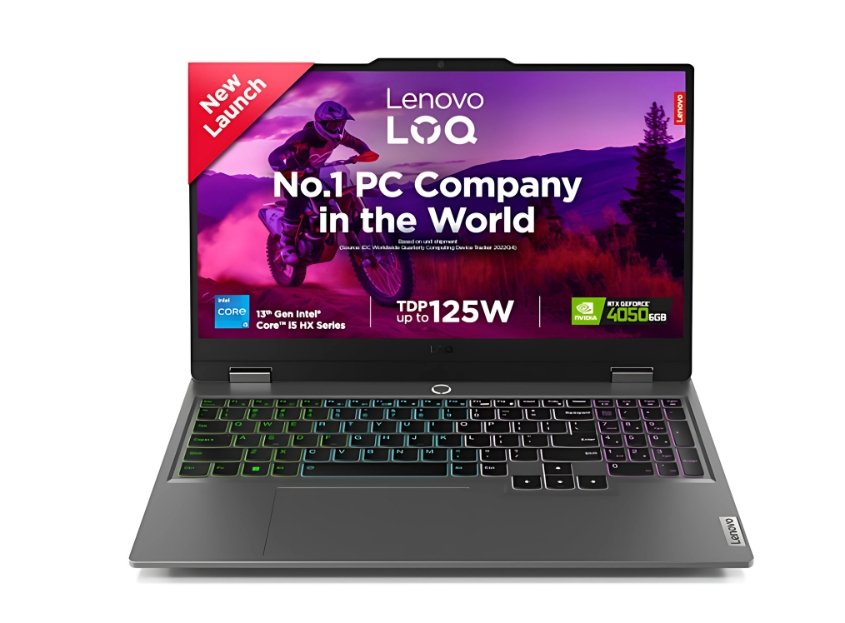
The Lenovo LOQ i5-12450HX model is tailor-made for gamers who want solid performance without hitting premium pricing. The i5-12450HX is an HX-series high-performance chip, giving more thermal and power headroom than regular U or H series CPUs. Paired with an RTX 3050 GPU, this setup can comfortably manage competitive games (like Valorant, CS2) at high settings, and run modern AAA games at medium to medium-high with tweaks.
What stands out is Lenovo’s design philosophy: the LOQ line often gives a sturdy chassis, good airflow, and manageable thermals so the hardware doesn’t throttle prematurely. The 144 Hz panel ensures smooth visuals in fast-paced action. With 16 GB RAM and 512 GB SSD, this variant is already decently balanced — and with upgradeable slots, you can boost further down the line.
If you’re okay not hitting ultra settings always, this laptop gives a great bang per rupee in the sub–₹70K category.
👍 Pros
✅ HX-series i5 gives strong performance for gaming + multitasking
✅ 144 Hz panel ensures smooth gameplay visuals
✅ Decent build + thermal design from Lenovo
✅ Comes with 16 GB RAM in many variants (less need to upgrade immediately)
✅ Good brand support and service network in India
👎 Cons
❌ GPU is just RTX 3050 — newer games may require lower settings
❌ Storage (512 GB) might fill up quickly with multiple AAA games
❌ Battery life for gaming will be limited
❌ Weight (~2.2–2.3 kg) is average — not ultra portable
🎯 Best Use-Case Suggestions
Competitive & Esports Gaming — tops in Valorant, CS2, etc. at high FPS
Modern Games on Medium Settings — for AAA titles like Shadow of the Tomb Raider, Far Cry, etc.
Students & Developers — good for coding, simulations, projects + gaming breaks
Content Creation — 1080p editing, Photoshop, basic video work
Everyday Use + Gaming Combo — one machine that handles both reliably
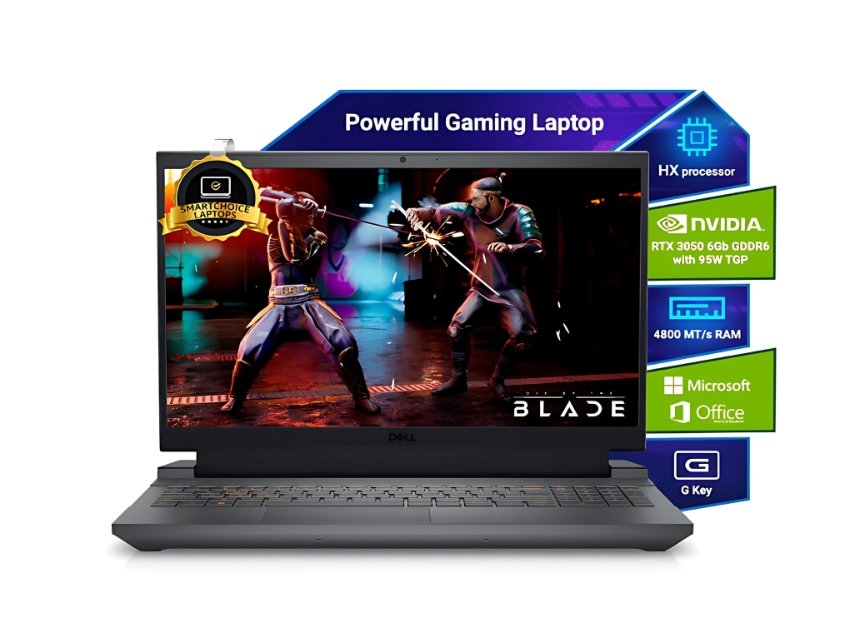
Dell G15-5530
Price:- ₹69,990 /-
Specifications:-
| Component | Details |
|---|---|
| CPU | Intel Core i5-13450HX (13th Gen) |
| GPU | NVIDIA GeForce RTX 3050, 6 GB |
| RAM | 8 GB DDR5 (some variants) — often upgradable |
| Storage | 512 GB NVMe SSD |
| Display | 15.6″ Full HD, 120 Hz (some variants 144 Hz) |
| Battery | 3-4 hours light use |
| Weight | ~2.5 kg |
| Extras | Dual-fan cooling, gaming keyboard, full port selection |
The Dell G15 (i5 + RTX 3050) is Dell’s aggressive entry into the mid-range gaming laptop market. It combines the HX-class i5 CPU with the RTX 3050 GPU, giving you a decent performance boost for heavier tasks compared to standard i5 models. The thermal design is robust — Dell often prioritizes good airflow and dual fans in its G-series machines, so you can expect better sustained performance during longer gaming sessions.
One thing to note is that many G15 models ship with 8 GB RAM, which is a bit low for gaming nowadays, so upgrading to 16 GB is almost mandatory. The display is solid — 120 Hz or 144 Hz panels give smoother visuals. Because Dell is a popular brand in India, service centers are fairly widespread, which gives peace of mind.
👍 Pros
✅ HX-class i5 gives good performance headroom
✅ Robust cooling design helps maintain performance
✅ Good build quality & durable chassis
✅ Plenty of port options & gaming keyboard
✅ Brand & service support across India
👎 Cons
❌ Ships often with 8 GB RAM (needs upgrade)
❌ Heavier than many rivals (~2.5 kg)
❌ Battery life is weak for gaming
❌ Storage may fill quickly
🎯 Best Use-Case Suggestions
Gaming + heavier multitasking — great for those doing streaming, editing along with gaming
AAA titles at medium settings — you can push many games with tweaks
Students & professionals — handles coding, software development, simulations
Future upgrades — with extra RAM slot and SSD slot, you can make it stronger
Content work & multitasking — good for creators who game too
Comparison Table: Best Gaming Laptops Under ₹70,000
| # | Laptop Model | Key Specs Snapshot | Best Strength | Watch Out / Trade-off |
|---|---|---|---|---|
| 1 | HP Victus 15 (RTX 4050) | i5-13420H + RTX 4050 • 16 GB • 512 GB SSD • 144 Hz | Balanced performer, strong GPU for future games | Gets warm under load, limited storage |
| 2 | HP Victus 15 (RTX 3050) | i5-13420H + RTX 3050 • 16 GB • 512 GB SSD • 144 Hz | Good for esports, cost-efficient | Weaker for demanding AAA games |
| 3 | HP Victus 15 (i7 + RTX 3050Ti) | i7-12650H + RTX 3050Ti • 16 GB • 512 GB SSD • 144 Hz | Better GPU than vanilla 3050 | Still limited storage, battery may drain |
| 4 | ASUS TUF Gaming A15 (Ryzen 7) | Ryzen 7 7445HS + RTX 3050 • 16 GB (DDR5) • 512 GB SSD • 144 Hz | Rugged build, good thermals | Battery life average, higher settings push GPU |
| 5 | Lenovo LOQ (Ryzen 7 variant) | Ryzen 7 7435HS + RTX 4050 • 16 GB • 512 GB SSD • 144 Hz | Powerful all-rounder, good brand support | SSD size may feel tight |
| 6 | Lenovo LOQ (i5-12450HX) | i5-12450HX + RTX 3050 • 16 GB • 512 GB SSD • 144 Hz | Best budget HX model, solid for esports | RTX 3050 limits ultra settings |
| 7 | Dell G15 (i5 + RTX 3050) | i5-13450HX + RTX 3050 • 8/16 GB (expandable) • 512 GB SSD • 120/144 Hz | Strong cooling & upgrade potential | Often ships with 8 GB RAM, heavy weight |
Final Thoughts: Which Gaming Laptop Should You Pick?
Choosing the best gaming laptop under ₹70,000 depends on what you actually need — pure gaming power, a balance of work + play, or something future-ready.
If you want the best all-round performance, go with HP Victus 15 (RTX 4050) or Lenovo LOQ Ryzen 7 (RTX 4050) — they give the most value in gaming and productivity.
For budget-conscious gamers, the HP Victus 15 (RTX 3050) or Lenovo LOQ i5 (RTX 3050) are great picks for esports and casual AAA gaming.
If durability and ruggedness matter, ASUS TUF A15 is built like a tank and won’t disappoint in long sessions.
And if you prefer a machine that can be upgraded and cooled better, the Dell G15 stands out.
👉 My advice: Pick based on your priority — GPU for gaming, CPU + RAM for multitasking, and build quality if you travel a lot. No matter which laptop you choose from this list, you’re getting a machine that delivers smooth 1080p gaming without breaking the ₹70K barrier.
FAQs:-
Q1. Which is the best gaming laptop under ₹70,000 in India (2025)?
The HP Victus 15 (RTX 4050) and Lenovo LOQ Ryzen 7 (RTX 4050) are the best all-round choices for 1080p gaming, multitasking, and future-proof performance.
Q2. Is RTX 3050 enough for gaming in 2025?
Yes, RTX 3050 can still handle esports and most AAA titles at medium settings, but if you want smoother performance and future-readiness, go for RTX 4050.
Q3. Which brand is best for gaming laptops under ₹70,000?
HP, Lenovo, ASUS, and Dell are the most reliable brands in this budget. HP Victus and Lenovo LOQ focus on balanced gaming, while ASUS TUF is rugged and Dell G15 offers strong cooling.
Q4. Do I really need 16GB RAM for gaming laptops?
Absolutely! In 2025, 16GB RAM is the sweet spot for smooth gaming and multitasking. 8GB may run games, but you’ll face lags and frame drops.
Q5. Can these laptops be used for video editing and streaming?
Yes! Laptops with RTX 3050/4050 + i5/i7/Ryzen 7 can handle video editing (1080p, light 4K) and even entry-level streaming at 1080p smoothly.
Q6. Which laptop is best for students who also want to game?
The Lenovo LOQ i5 (RTX 3050) and HP Victus 15 (RTX 3050) are perfect for students — great for coding, projects, and weekend gaming.
Q7. Do gaming laptops under ₹70,000 have good battery life?
Not really. Most gaming laptops in this range give 3–5 hours on normal use and much less while gaming. They are performance-focused, not battery champs.
Disclaimer
The information shared in this article about the best gaming laptops under ₹70,000 (2025) is based on research, brand specifications, and market availability at the time of writing. Prices and offers may change depending on sales, platforms, and location. We do not guarantee stock availability or future performance beyond official claims. Readers are advised to verify latest details on Amazon, Flipkart, or the brand’s official site before purchasing. This content is for guidance only — final buying decisions are your responsibility.
🔥Top 7 Best Laptops Under 50000 with i7 Processor & 16GB RAM(2025)
🔥Top 7 Best Gaming Laptops Under 80000 (2025)
🔥Top 10 Best Gaming Laptops Under 1 Lakh (2025)
🔥Top 7 Best Gaming Laptops Under 60000 in 2025
🔥Best Gaming Laptop Under 50000 for Students & Gamers in 2025