
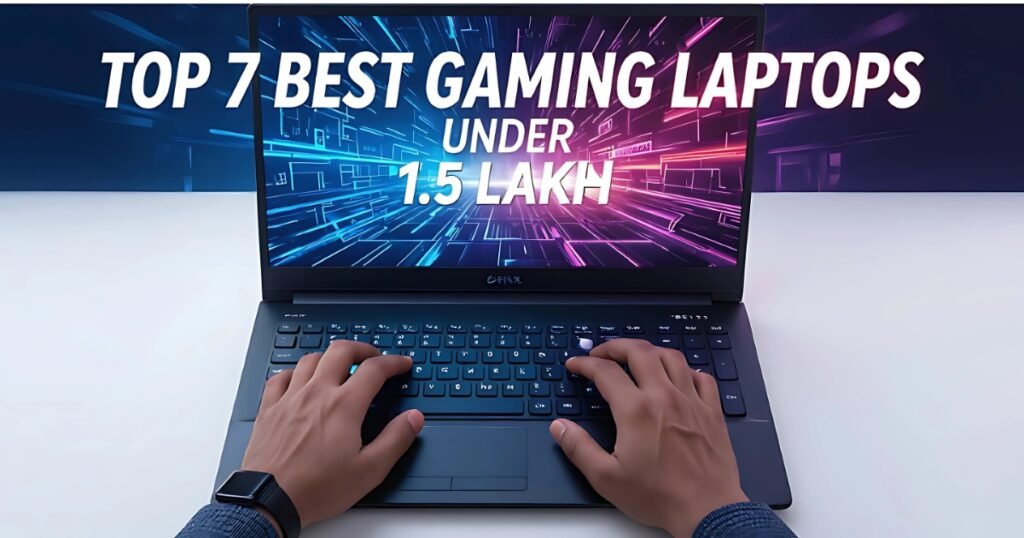
Best Gaming Laptops Under 1.5 Lakh in India (2025): Buying a gaming laptop today is no small decision—especially when your budget touches ₹1.5 lakh. At this price, you’re not just looking for a machine that can “run games.” You’re investing in a serious gaming partner that should deliver buttery-smooth FPS, crisp visuals, and the raw power to handle everything from AAA titles to streaming, editing, or even your college projects.
But here’s the catch—once you cross the ₹1 lakh mark, the options explode. Suddenly, you see laptops with the same GPU but different CPUs, or models with flashy RGB but questionable cooling. Some even cut corners on display quality, which is the one thing you stare at for hours every day. That’s why choosing the right gaming laptop under ₹1.5 lakh can feel overwhelming.
Don’t worry—we’ve done the heavy lifting for you. In this guide, we’ll break down the latest and most reliable gaming laptops available in 2025 under ₹1.5 lakh. You’ll get clear comparisons, real-world pros & cons, and honest use-case suggestions—so you can pick a laptop that truly fits your style, whether you’re a hardcore gamer, a content creator, or a student who loves gaming after class.
Things to Check Before Buying a Gaming Laptop Under 1.5 lakh
Processor (CPU): At least Intel i7 13th/14th Gen or AMD Ryzen 7/9 for future-proofing.
Graphics (GPU): RTX 4060 / 4070 (or RTX 5060 in new models) for smooth AAA + esports gaming.
RAM: Minimum 16 GB DDR5 (upgradeable preferred).
Storage: At least 1 TB SSD for games + work files.
Display: 144–240 Hz refresh rate, Full HD/QHD, with good brightness & color accuracy.
Cooling System: Dual-fan or advanced cooling for long gaming sessions.
Battery & Charging: Fast charging + 5–6 hrs backup for light use.
Ports & Connectivity: HDMI 2.1, USB-C, Wi-Fi 6/6E, multiple USBs.
Build & Design: Durable, with a comfortable keyboard for gaming & typing.
After-Sales Support: Reliable service network in India.
HP OMEN Gaming

Price: ~ ₹1,21,989/-
Specifications:-
| Component | Details |
|---|---|
| CPU | Intel Core i7-14650HX |
| GPU | NVIDIA GeForce RTX 4060 (8 GB GDDR6) |
| RAM | 16 GB DDR5 (upgradeable) |
| Storage | 1 TB SSD |
| Display | 16″ FHD/QHD, 165Hz |
| Battery | 4-cell, ~70 Wh |
| Weight | ~2.4 kg |
| Ports | HDMI 2.1, USB-C, USB-A, RJ-45, Audio jack |
| Extras | Omen Gaming Hub, RGB Keyboard |
HP Omen 16 is one of the most reliable choices for gamers in India. With an HX-series i7 processor and RTX 4060 GPU, it delivers smooth frame rates in modern AAA titles. The design is clean and minimal, so it also fits well for college or office use. Thermals are well-balanced, though under turbo load, the fans can get a bit loud.
✅ Pros
Strong CPU + GPU combo (i7 + 4060)
165Hz display is smooth for esports
Balanced cooling for long sessions
Minimalist design (suits both gaming & work)
1 TB SSD = no storage worries initially
❌ Cons
Slightly heavier (~2.4 kg)
Can get noisy in Turbo mode
Battery life is average (5 hrs max on light use)
🎯 Best Use-Case Suggestions
Gaming (AAA + Esports): Perfect for 1080p/QHD gaming with stable frame rates.
Students/Professionals: Subtle design makes it usable for college/work.
Content Creators: Decent CPU/GPU balance for video editing & rendering.
Streamers: Can handle OBS streaming at 1080p smoothly.
Acer Predator Helios Neo 16

Price: ~ /-
Specifications:-
| Component | Details |
|---|---|
| CPU | Intel Core i7-14700HX |
| GPU | NVIDIA GeForce RTX 4060 (8 GB) |
| RAM | 16 GB DDR5 (upgradeable) |
| Storage | 1 TB SSD |
| Display | 16″ FHD/QHD, 165Hz |
| Battery | ~70 Wh |
| Weight | ~2.5 kg |
| Ports | HDMI 2.1, USB-C, RJ-45 |
| Extras | PredatorSense software, RGB lighting |
The Helios Neo 16 is made for gamers who play long sessions. Its Predator-grade cooling keeps temps stable even in demanding titles. The i7-14700HX also provides extra cores, which helps with video editing, streaming, and multitasking.
✅ Pros
Excellent cooling system
Strong CPU for multitasking
Solid build quality
165Hz panel feels smooth
❌ Cons
A bit bulky (~2.5 kg)
Fans can be loud on turbo mode
🎯 Best Use-Case Suggestions
AAA Gamers: Stable FPS in heavy games like Cyberpunk, GTA 6.
Streamers: Perfect for streaming + gaming simultaneously.
Content Creators: Handles editing & rendering with ease.
ASUS TUF F16
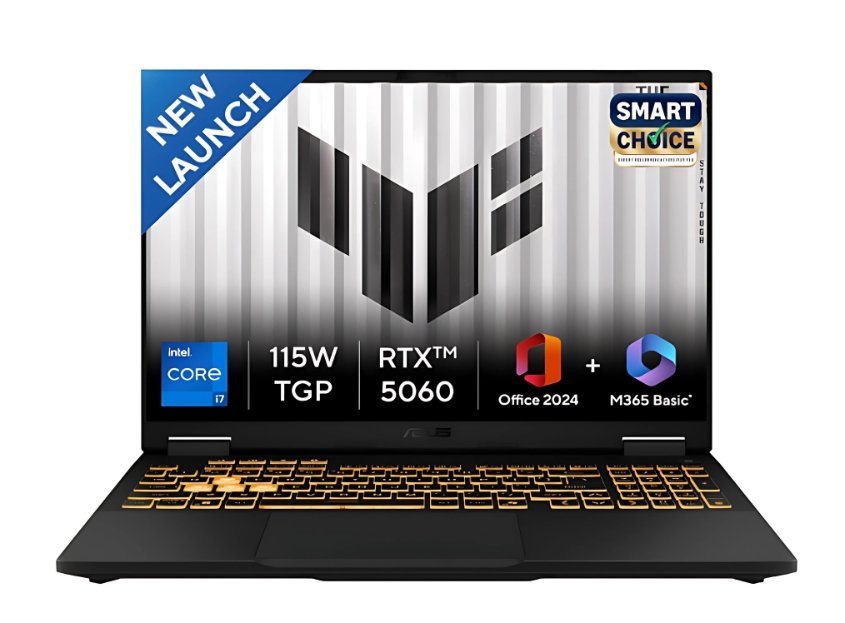
Price: ~₹1,39,990/-
Specifications:-
| Component | Details |
|---|---|
| CPU | Intel Core i7-14650HX |
| GPU | NVIDIA GeForce RTX 4060 (8 GB) |
| RAM | 16 GB DDR5 |
| Storage | 1 TB SSD |
| Display | 16″ FHD/QHD, 144Hz–165Hz |
| Battery | ~6 hrs light use |
| Weight | 2.3 kg |
| Ports | HDMI 2.1, USB-C, USB-A |
| Extras | Military-grade durability, Armoury Crate |
The TUF F16 is a durable choice with military-grade toughness. It’s perfect for students who want to carry their laptop daily. The i7 + RTX 4060 ensures reliable gaming, while the design is less flashy compared to ROG series.
✅ Pros
Tough build quality
Smooth 144–165Hz screen
Good performance for the price
Reliable cooling system
❌ Cons
Design feels basic compared to premium models
Fans can get noticeable under heavy loads
🎯 Best Use-Case Suggestions
Students: Portable & tough for daily carry.
Esports Gamers: 144–165Hz display is great for Valorant, CS2.
Casual Editors: Can handle basic video editing.
Lenovo LOQ(RTX 5060 8GB)
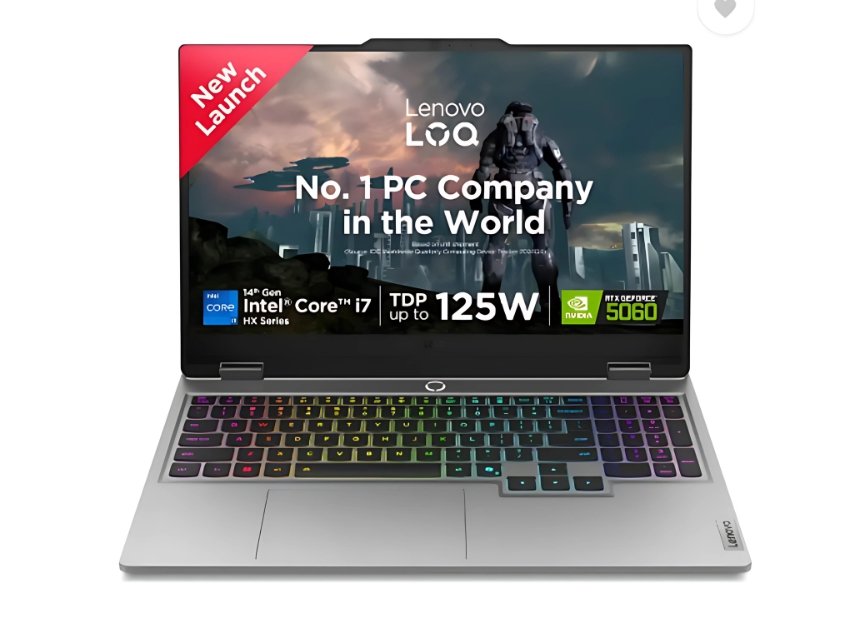
Price: ~₹1,32,990/-
Specifications:-
| Component | Details |
|---|---|
| CPU | Intel Core i7-14700HX |
| GPU | NVIDIA GeForce RTX 5060 (8 GB) |
| RAM | 16 GB DDR5 (upgradeable) |
| Storage | 1 TB SSD |
| Display | 15.6–16″, 165Hz |
| Battery | ~6 hrs light use |
| Weight | 2.4 kg |
| Ports | HDMI, USB-C, USB-A |
| Extras | Lenovo Vantage, MUX Switch |
The Lenovo LOQ is the latest-gen refresh, packing the new RTX 5060 GPU. It’s efficient, future-ready, and offers excellent value for its price. Lenovo’s keyboards are among the best in the market, making it great for students and professionals alike.
✅ Pros
Latest RTX 5060 GPU
Reliable Lenovo keyboard
Balanced performance & cooling
Subtle design, good for office/college
❌ Cons
Speakers are average
Display brightness may vary by SKU
🎯 Best Use-Case Suggestions
Students + Gaming: Balanced choice with latest-gen GPU.
Esports Players: Stable FPS with MUX switch.
Content Creators: Handles editing & rendering well.
MSI Sword 16 HX(i9 – 13980HX)
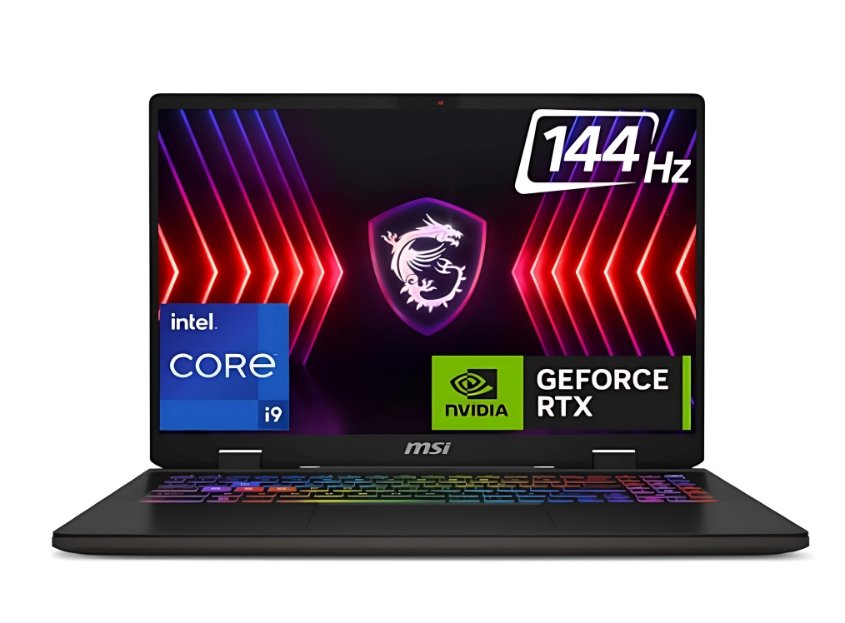
Price: ~₹1,25,499/-
Specifications:-
| Component | Details |
|---|---|
| CPU | Intel Core i9-13980HX |
| GPU | NVIDIA GeForce RTX 4060 (8 GB) |
| RAM | 16 GB DDR5 (expandable up to 32 GB) |
| Storage | 1 TB SSD |
| Display | 16″ FHD/QHD, up to 240Hz |
| Battery | ~70 Wh |
| Weight | 2.5 kg |
| Ports | HDMI 2.1, USB-C, USB-A |
| Extras | MSI Center, RGB keyboard |
The MSI Sword 16 HX is a performance beast with the mighty i9-13980HX processor. It’s ideal for gamers who also run heavy workloads like compiling, rendering, or multi-tasking. The RTX 4060 handles modern AAA gaming at high settings with ease. Just note: it gets a bit hot, so a cooling pad is recommended for long hours.
✅ Pros
i9 performance = great for editing + multitasking
240Hz display (smooth for esports)
Strong cooling setup
Expandable RAM up to 32 GB
❌ Cons
Runs hot under heavy load
Heavier & bulkier than others
Fan noise at max settings
🎯 Best Use-Case Suggestions
Hardcore Gamers: Handles AAA gaming with stable FPS.
Content Creators: Perfect for rendering and editing.
Streamers: i9 + RTX 4060 handles OBS streaming easily.
Engineering Students: Can run heavy simulations or coding projects.
ASUS ROG Strix G16(i9 – 13980HX)
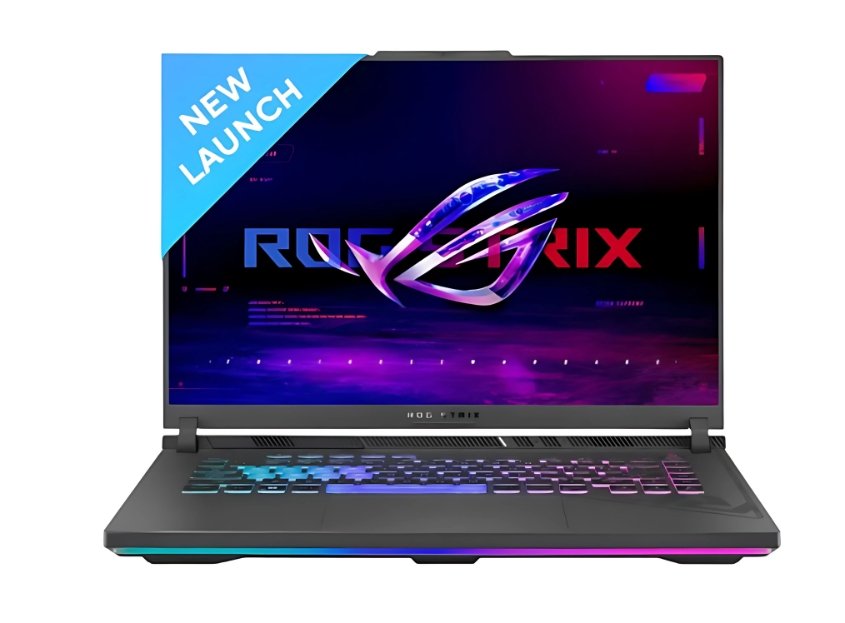
Price: ~₹1,50,386/-
Specifications:-
| Component | Details |
|---|---|
| CPU | Intel Core i9-13980HX |
| GPU | NVIDIA GeForce RTX 4060 (8 GB) |
| RAM | 16 GB DDR5 (expandable) |
| Storage | 1 TB SSD |
| Display | 16″ FHD/QHD, 165Hz–240Hz |
| Battery | ~6 hrs light use |
| Weight | 2.5 kg |
| Ports | HDMI 2.1, USB-C, RJ-45 |
| Extras | Aura Sync RGB, Armoury Crate |
The ROG Strix G16 is premium in every sense—a bold design, per-key RGB, and ROG’s superior cooling. With the i9-13980HX, it doubles as a creator’s laptop. It’s slightly pricier, but if you want style + power, this is a top-tier choice.
✅ Pros
Stylish RGB + premium feel
Strong thermals for extended gaming
Smooth 240Hz panel for esports
i9 = great for heavy tasks
❌ Cons
Expensive compared to competitors
Gamer aesthetics may not suit office use
Bulky (2.5 kg)
🎯 Best Use-Case Suggestions
Competitive Gamers: Perfect for esports titles like CS2, Valorant.
Streamers/Creators: Handles editing + streaming simultaneously.
ROG Fans: If you want premium gaming vibes with performance.
HP Omen(Ryzen 9 7940HS)
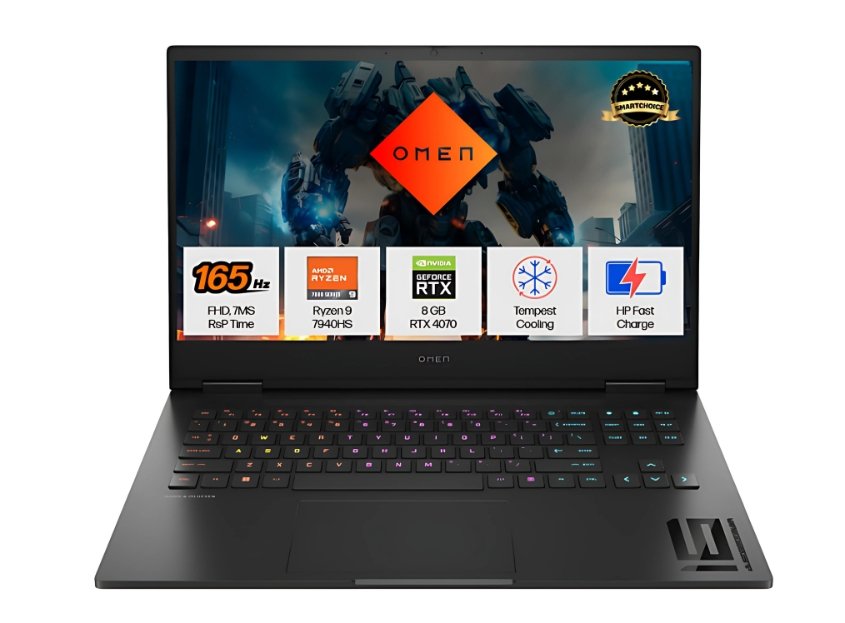
Price: ~₹1,40,000/-
Specifications:-
| Component | Details |
|---|---|
| CPU | AMD Ryzen 9 7940HS |
| GPU | NVIDIA GeForce RTX 4070 (8 GB) |
| RAM | 16 GB DDR5 (expandable) |
| Storage | 1 TB SSD |
| Display | 16″ FHD/QHD, 165Hz |
| Battery | ~70 Wh |
| Weight | ~2.3 kg |
| Ports | HDMI, USB-C, USB-A |
| Extras | Omen Gaming Hub, RGB keyboard |
This is one of the best-balanced laptops under ₹1.5L. The Ryzen 9 7940HS is efficient and powerful, while the RTX 4070 gives it an edge over RTX 4060 machines. If you want a gaming laptop that can handle QHD gaming, content creation, and streaming smoothly, this is a top choice.
✅ Pros
RTX 4070 = stronger GPU than 4060
Ryzen 9 = efficient + powerful
Sleek design for gaming + work
Great for editing and creative tasks
❌ Cons
Runs slightly warm under GPU-heavy loads
Battery life is just average
Slightly pricier than RTX 4060 laptops
🎯 Best Use-Case Suggestions
AAA Gamers: Handles modern games at higher settings easily.
Content Creators: Smooth editing and rendering.
Streamers: Can stream 1080p/1440p gameplay comfortably.
Students/Professionals: Sleek, balanced design for work + play.
Comparison table:-
| Laptop | CPU | GPU | RAM & Storage | Display | Best For |
|---|---|---|---|---|---|
| HP Omen 16 | i7-14650HX | RTX 4060 | 16GB DDR5 / 1TB SSD | 16″ FHD/QHD, 165Hz | Balanced all-rounder |
| Acer Predator Helios Neo 16 | i7-14700HX | RTX 4060 | 16GB DDR5 / 1TB SSD | 16″, 165Hz | Long AAA sessions |
| ASUS TUF F16 | i7-14650HX | RTX 4060 | 16GB DDR5 / 1TB SSD | 16″, 144Hz | Durable student choice |
| Lenovo LOQ 15 (2025) | i7-14700HX | RTX 5060 | 16GB DDR5 / 1TB SSD | 15.6″/16″, 165Hz | Efficient + latest gen |
| MSI Sword 16 HX | i9-13980HX | RTX 4060 | 16–32GB DDR5 / 1TB SSD | 16″, up to 240Hz | Heavy CPU + gaming |
| ASUS ROG Strix G16 | i9-13980HX | RTX 4060 | 16GB DDR5 / 1TB SSD | 16″, 240Hz | Premium gamer feel |
| HP Omen (Ryzen 9) | Ryzen 9 7940HS | RTX 4070 | 16GB DDR5 / 1TB SSD | 16″, 165Hz | High-end gaming + creators |
Final Thoughts:-
If your budget is around ₹1.5 lakh, you already have access to some of the best gaming laptops in India. For balanced performance, the HP Omen 16 is a solid pick; for longer AAA sessions, go with the Predator Helios Neo 16; and if you want the latest-gen GPU, the Lenovo LOQ 2025 (RTX 5060) is the smart choice. Creators and streamers can lean toward the ROG Strix G16 or MSI Sword 16 HX, while the HP Omen Ryzen 9 + RTX 4070 delivers extra GPU muscle.
At the end of the day, choose the one that fits your gaming style and daily lifestyle—because the right laptop isn’t just powerful, it’s the one you’ll enjoy using every day.
FAQs:-
Q1. Which is the best gaming laptop under ₹1.5 lakh in India (2025)?
The HP Omen 16 and Acer Predator Helios Neo 16 are the most balanced choices, while the Lenovo LOQ 2025 with RTX 5060 offers the latest-gen GPU at this price.
Q2. Is RTX 4060 enough for gaming in 2025 or should I go for RTX 4070?
RTX 4060 is still great for 1080p and QHD gaming, but if you want more future-proofing and smoother performance at ultra settings, the RTX 4070 is worth the extra investment.
Q3. Intel i7 vs AMD Ryzen 9 – which one should I choose?
For pure gaming, both are excellent. If you also do video editing, streaming, or 3D work, Ryzen 9 laptops like the HP Omen (Ryzen 9 + RTX 4070) are more efficient, while Intel i7/i9 HX chips are stronger in raw performance.
Q4. Do gaming laptops under ₹1.5 lakh have good cooling systems?
Yes, most laptops in this range—like the Predator Helios Neo 16 and ROG Strix G16—come with dual-fan advanced cooling. However, remember they will still get warm under heavy gaming.
Q5. Can I use a gaming laptop for college or office work?
Absolutely! Laptops like the ASUS TUF F16 and Lenovo LOQ have a more subtle design, making them suitable for both classrooms and work meetings, apart from gaming.
Q6. How much RAM do I need for a gaming laptop in 2025?
16 GB DDR5 is the minimum standard. But if you plan on streaming or video editing, upgrading to 32 GB will give you smoother multitasking.
Q7. Do gaming laptops at this budget support future upgrades?
Yes. Almost all models in this segment—HP Omen, Lenovo LOQ, MSI Sword, etc.—let you upgrade RAM and storage, which makes them a safer long-term investment.
Disclaimer
The laptops mentioned above are based on the latest specs and availability in India (2025). Prices and offers may change from time to time, so please check with official stores before purchase. This article is for guidance only—choose the laptop that best suits your needs and budget.
🔥Best Gaming Laptop Under 70000(2025)
🔥Top 7 Best Gaming Laptops Under 80000 (2025)
🔥Top 10 Best Gaming Laptops Under 1 Lakh (2025)
🔥Top 7 Best Gaming Laptops Under 60000 in 2025
🔥Best Gaming Laptop Under 50000 for Students & Gamers in 2025