


Best Gaming Laptops Under 80000 (2025): Looking for the best gaming laptop under 80000 in India (2025)? You’re in the right place! At this price, you no longer have to compromise. Laptops in this range now come with Intel 13th/14th Gen or AMD Ryzen 7 processors, RTX 4050/4060 GPUs, 16 GB RAM, SSD storage, and 144 Hz displays — features that used to be available only in premium models.
Whether you’re a gamer, student, or content creator, these laptops can handle it all — from AAA games to video editing and multitasking. In this guide, we’ve picked the top models under ₹80,000 that offer the best mix of performance, design, and value for money.
Things to Consider Before Buying a Gaming Laptop Under ₹80,000
Before you invest your hard-earned money, it’s important to know what to look for in a gaming laptop. Here are some key criteria that will help you make the right choice:
-
Processor (CPU) – Always check whether the laptop has the latest Intel (13th/14th Gen) or AMD Ryzen 7 processors. A strong CPU ensures smoother gameplay, faster multitasking, and better performance in creative software.
-
Graphics Card (GPU) – For this budget, NVIDIA RTX 4050 or RTX 4060 are the best choices. They support ray tracing, DLSS, and handle modern AAA games at 1080p high settings.
-
RAM & Storage – Go for at least 16 GB DDR5 RAM. Some models come with 12 GB, but upgrading to 16 GB is strongly recommended. Also, look for a 512 GB or higher SSD for faster game loading.
-
Display Quality – A 144 Hz or higher refresh rate screen makes a huge difference in gaming, especially in eSports titles like Valorant, CS2, or Fortnite. If possible, check for brightness (~300 nits) and colour accuracy (sRGB 100%).
-
Cooling System – Gaming laptops generate heat. Look for models with dual-fan cooling systems, multiple vents, and good thermal design to prevent throttling during long sessions.
-
Build Quality & Portability – If you’re a student or traveller, weight and durability matter. Models like ASUS TUF series come with military-grade certification, while others like ASUS V16 are lightweight.
-
Battery Life – Don’t expect miracles. Most gaming laptops in this range give 4–5 hours on normal use and 1–2 hours while gaming. Always keep the charger handy.
-
Upgradability – Some laptops allow RAM and SSD upgrades. Choosing a laptop with expandable memory gives more value in the long run.
-
Brand & After-Sales Service – ASUS, Acer, HP, Lenovo, and MSI all offer decent support in India, but after-sales service can vary by region. Always check warranty and service centre availability near you.
⚡ Quick List: Do’s & Don’ts for Buying a Gaming Laptop Under 80000
✔️ Do’s (Right Choices)
-
✔️ Choose laptops with RTX 4050 or RTX 4060 GPUs for future-proof gaming.
-
✔️ Go for at least 16 GB DDR5 RAM (upgrade if laptop ships with 12 GB).
-
✔️ Prefer 144 Hz or higher refresh rate displays for smoother gameplay.
-
✔️ Pick a laptop with a good cooling system (dual-fan, large vents).
-
✔️ Check warranty and after-sales service availability in your area.
-
✔️ If possible, prefer laptops with MUX Switch/Advanced Optimus for better GPU performance.
❌ Don’ts (Mistakes to Avoid)
-
❌ Don’t buy a laptop with GTX graphics cards (outdated for 2025).
-
❌ Don’t settle for 8 GB RAM – it’s not enough for modern games.
-
❌ Don’t ignore the refresh rate – 60 Hz panels feel outdated for gaming.
-
❌ Don’t overlook build quality if you travel or carry your laptop often.
-
❌ Don’t forget to check for upgrade options (RAM/SSD slots).
-
❌ Don’t buy only based on looks – performance and cooling matter more.
1. Acer Nitro V16 (Intel Core i5-14450HX + RTX 4050)


-
Price:- /-
The Acer Nitro V16 is a performance-packed laptop that comes with Intel Core i5-14450HX and NVIDIA RTX 4050 GPU. The large 16-inch WUXGA display with 165 Hz refresh rate ensures ultra-smooth visuals, making it a top choice for competitive gamers.
Specifications
| Specification | Details |
|---|---|
| Model / SKU | Acer Nitro V16 (ANV16-71) |
| Processor | Intel Core i5-14450HX (14th Gen) |
| Graphics | NVIDIA GeForce RTX 4050 (6 GB GDDR6) |
| RAM | 16 GB DDR5 |
| Storage | 512 GB NVMe SSD |
| Display | 16″ WUXGA (1920×1200), 165 Hz |
| Operating System | Windows 11 Home |
| Weight | ~2.2 kg |
Pros ✅
-
Large 16-inch 165 Hz display
-
Latest Intel 14th Gen HX CPU
-
Good thermal management
Cons ❌
-
Slightly bulky
-
Average battery backup
Best For: Gamers who want a large display and powerful performance under budget.
2. ASUS TUF Gaming F16 (Intel Core 5 210H+ RTX 4050)
-
Price:- /-
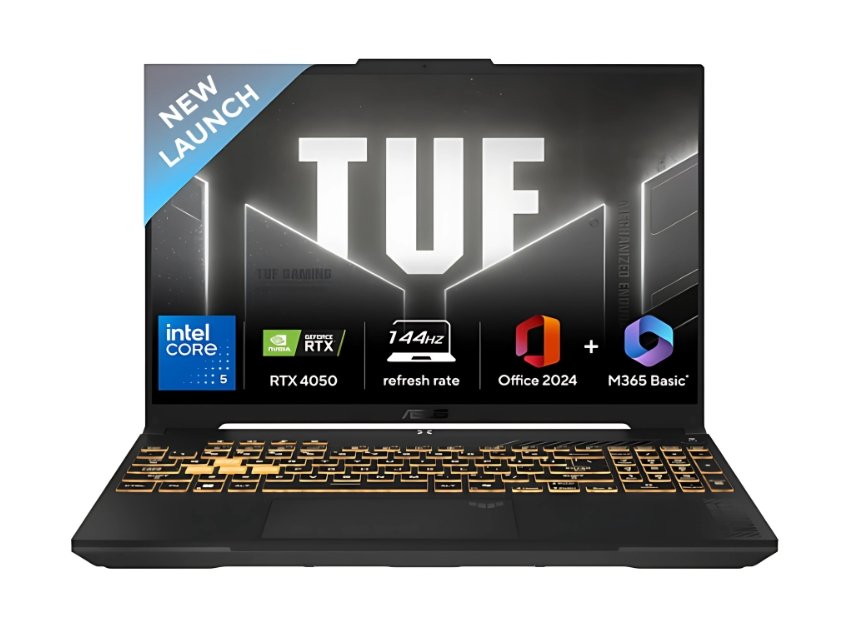
The ASUS TUF series is known for its durability, and the TUF Gaming F16 continues that legacy. Equipped with Intel Core i5-210H and RTX 4050, it delivers consistent frame rates in modern games. The 16-inch 144 Hz display and military-grade build make it rugged and reliable.
Specifications
| Specification | Details |
|---|---|
| Model / SKU | ASUS TUF Gaming F16 (FX677VU-RL055WS) |
| Processor | Intel Core i5-210H (14th Gen) |
| Graphics | NVIDIA GeForce RTX 4050 (6 GB GDDR6) |
| RAM | 16 GB DDR5 |
| Storage | 512 GB SSD |
| Display | 16″ FHD+, 144 Hz |
| Operating System | Windows 11 Home |
| Weight | ~2.3 kg |
Pros ✅
-
Military-grade durability
-
High-refresh display
-
Reliable performance
Cons ❌
-
Slightly bulky
-
Speakers are average
Best For: Gamers who want a durable laptop for long-term heavy use.
3.1 ASUS Gaming V16 (Intel Core 5 210H+ RTX 4050)
-
Price:- /-
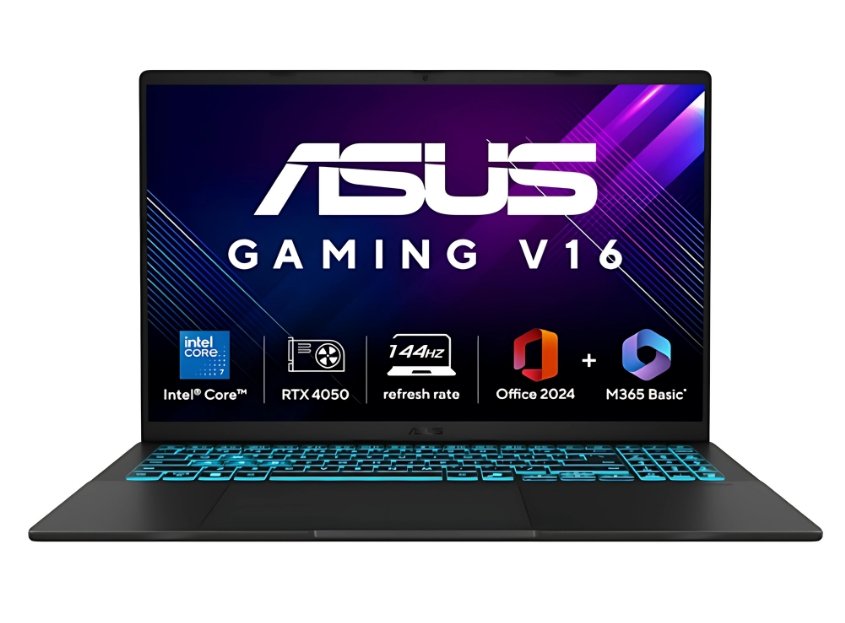
The ASUS Gaming V16 (i5 variant) is lighter than most 16-inch laptops, weighing only around 1.95 kg. It combines Intel Core i5-210H and RTX 4050 GPU with a 144 Hz display, giving a smooth gaming experience without compromising portability.
Specifications
| Specification | Details |
|---|---|
| Model / SKU | ASUS Gaming V16 (V3607VU-RP550WS) |
| Processor | Intel Core i5-210H |
| Graphics | NVIDIA GeForce RTX 4050 (6 GB GDDR6) |
| RAM | 16 GB DDR5 |
| Storage | 512 GB NVMe SSD |
| Display | 16″ WUXGA, 144 Hz |
| Operating System | Windows 11 Home |
| Weight | ~1.95 kg |
Pros ✅
-
Lightweight for a 16-inch gaming laptop
-
Good value for money
-
Smooth display
Cons ❌
-
Average battery life
-
Thermals can get warm under stress
Best For: Students and gamers who need portability with power.
3.2 ASUS Gaming V16 (Intel Core 7-240H + RTX 4050)
-
Price:- ₹85,990 /-
This upgraded Core i7 variant of the Gaming V16 provides extra power for multitasking and demanding workloads. With RTX 4050 GPU, 16 GB RAM, and a 144 Hz display, it strikes a balance between gaming and productivity.
Specifications
| Specification | Details |
|---|---|
| Model / SKU | ASUS Gaming V16 (V3607VU-RP275WS) |
| Processor | Intel Core 7-240H (14th Gen) |
| Graphics | NVIDIA GeForce RTX 4050 (6 GB GDDR6) |
| RAM | 16 GB DDR5 |
| Storage | 512 GB SSD |
| Display | 16″ WUXGA, 144 Hz |
| Operating System | Windows 11 Home |
| Weight | ~1.95 kg |
Pros ✅
-
Powerful CPU for multitasking
-
Slim and stylish design
-
Reliable cooling system
Cons ❌
-
Slightly higher price
-
Speakers could be better
Best For: Creators and gamers who want higher CPU power.
4. ASUS TUF Gaming A15 (Ryzen 7 7435HS + RTX 4050)
-
Price:- ₹81,989 /-
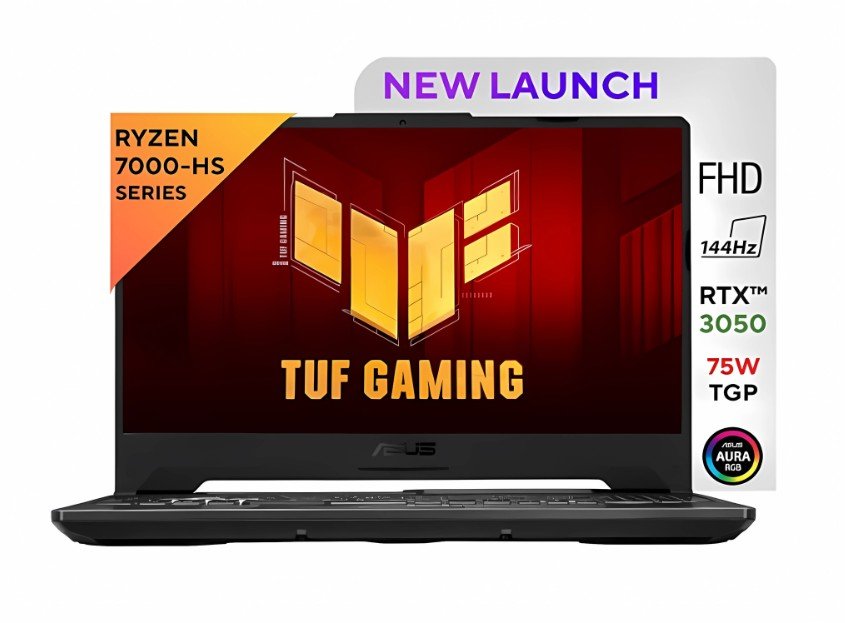
The ASUS TUF A15 is a fan-favorite gaming laptop in India. It is powered by AMD Ryzen 7 7435HS and RTX 4050 GPU. With a 15.6-inch 144 Hz display and dual-fan cooling, it maintains consistent performance during long gaming sessions.
Specifications
| Specification | Details |
|---|---|
| Model / SKU | ASUS TUF Gaming A15 (FA507NUR-LP082W) |
| Processor | AMD Ryzen 7 7435HS |
| Graphics | NVIDIA GeForce RTX 4050 (6 GB GDDR6) |
| RAM | 16 GB DDR5 |
| Storage | 512 GB SSD |
| Display | 15.6″ FHD, 144 Hz |
| Operating System | Windows 11 Home |
| Weight | ~2.3 kg |

Pros ✅
-
Strong multitasking with Ryzen 7
-
Durable build quality
-
Good thermal performance
Cons ❌
-
Slightly heavy
-
Display brightness is average
Best For: Hardcore gamers who need durability and stable performance.
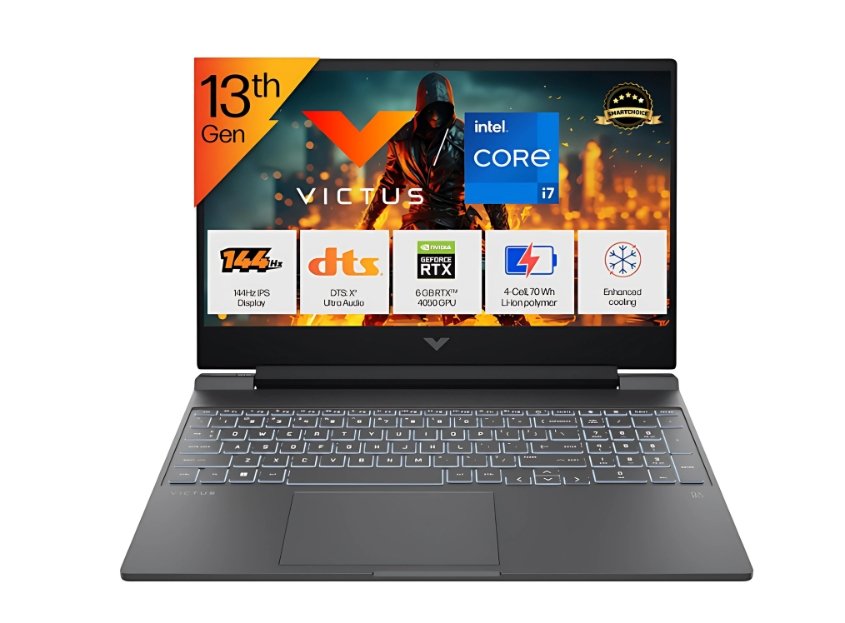
5. HP Victus 15 (Intel i7-13620H + RTX 4050)
-
Price:- ₹79,990 /-
The HP Victus 15 (Intel variant) is a performance-oriented laptop featuring Intel Core i7-13620H and RTX 4050 GPU. It offers a modern design with a 15.6-inch 144 Hz display and smooth multitasking capabilities.
Specifications
| Specification | Details |
|---|---|
| Model / SKU | HP Victus 15 (fa2100TX) |
| Processor | Intel Core i7-13620H (13th Gen) |
| Graphics | NVIDIA GeForce RTX 4050 (6 GB GDDR6) |
| RAM | 16 GB DDR5 |
| Storage | 512 GB SSD |
| Display | 15.6″ FHD, 144 Hz |
| Operating System | Windows 11 Home |
| Weight | ~2.3 kg |
Pros ✅
-
i7 CPU at this budget
-
Sleek design
-
Reliable gaming and productivity
Cons ❌
-
Slightly heavy
-
Build quality could be better
Best For: Gamers and professionals who need high performance in multitasking.
6. HP Victus 15 (Ryzen 7 8845HS + RTX 4050)

-
Price:- ₹79,990 /-
This variant of the HP Victus comes with AMD Ryzen 7 8845HS, delivering excellent power efficiency and multitasking. With RTX 4050 GPU, it is well-suited for gamers and creators.
Specifications
| Specification | Details |
|---|---|
| Model / SKU | HP Victus 15 (Ryzen 7 8845HS variant) |
| Processor | AMD Ryzen 7 8845HS |
| Graphics | NVIDIA GeForce RTX 4050 (6 GB GDDR6) |
| RAM | 16 GB DDR5 |
| Storage | 512 GB SSD |
| Display | 15.6″ FHD, 144 Hz |
| Operating System | Windows 11 Home |
| Weight | ~2.29 kg |
Pros ✅
-
Ryzen 7 is efficient and powerful
-
Stylish design
-
Balanced performance
Cons ❌
-
Speakers are average
-
Display brightness is limited
Best For: Gamers and creators who value both performance and design.
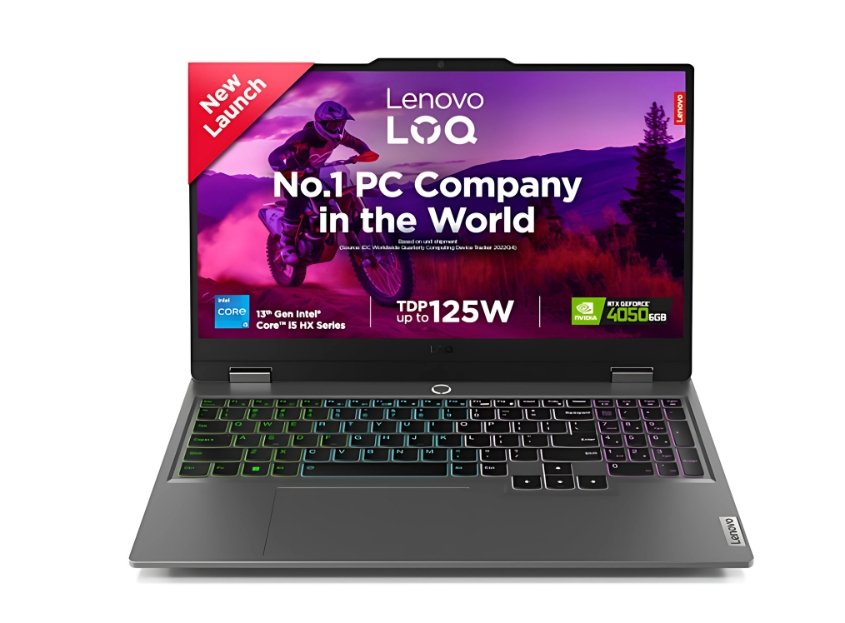
7.1 Lenovo LOQ 2024 (Intel i5-13450HX + RTX 4060)
-
Price:- ₹80,990 /-
The Lenovo LOQ 2024 brings RTX 4060 GPU to this budget, making it future-proof for gamers. Paired with Intel Core i5-13450HX, it delivers solid FPS in AAA titles and reliable performance for heavy tasks.
Specifications
| Specification | Details |
|---|---|
| Model / SKU | Lenovo LOQ 2024 (83DV00X4IN) |
| Processor | Intel Core i5-13450HX |
| Graphics | NVIDIA GeForce RTX 4060 (8 GB GDDR6) |
| RAM | 16 GB DDR5 |
| Storage | 512 GB SSD |
| Display | 15.6″/16″ FHD, 144 Hz |
| Operating System | Windows 11 Home |
| Weight | ~2.2 kg |
Pros ✅
-
RTX 4060 GPU at this price
-
Solid Lenovo build
-
Smooth 144 Hz display
Cons ❌
-
RAM upgrade may be needed for heavy use
-
Battery life is average
Best For: Gamers looking for RTX 4060 graphics under ₹80,000.
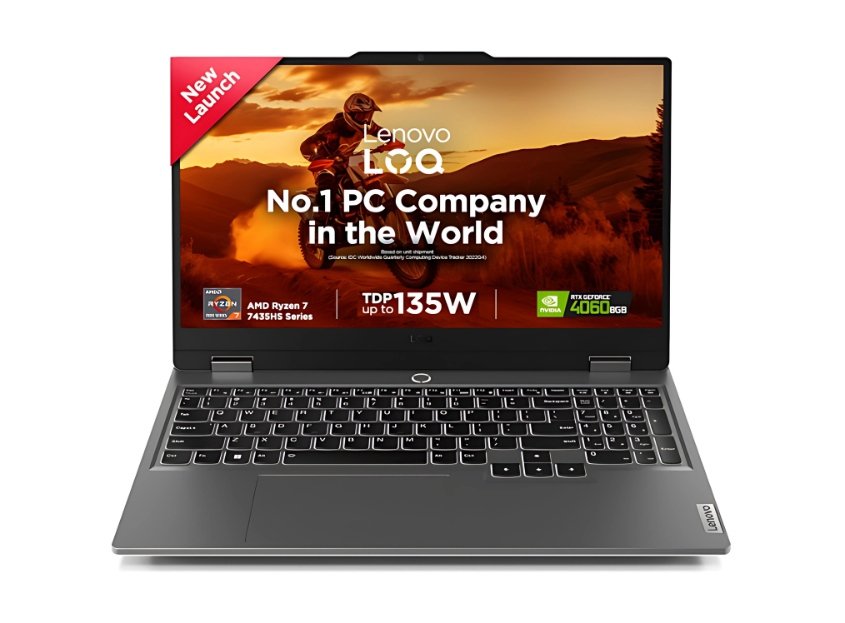
7.2 Lenovo LOQ (AMD Ryzen 7 7435HS + RTX 4050/4060)
-
Price:- ₹82,190 /-
The Ryzen-powered Lenovo LOQ is a great option for multitaskers. With Ryzen 7 7435HS and RTX 4050/4060 GPU options, it handles everything from AAA gaming to content creation with ease.
Specifications
| Specification | Details |
|---|---|
| Model / SKU | Lenovo LOQ 15 (Ryzen 7-7435HS variant) |
| Processor | AMD Ryzen 7-7435HS |
| Graphics | NVIDIA GeForce RTX 4050 / 4060 |
| RAM | 16 GB DDR5 |
| Storage | 512 GB NVMe SSD |
| Display | 15.6″ FHD, 144 Hz |
| Operating System | Windows 11 Home |
| Weight | ~2.3 kg |
Pros ✅
-
Ryzen 7 is great for multitasking
-
RTX 4050/4060 GPU options
-
Lenovo’s reliable cooling system
Cons ❌
-
Slightly bulky
-
Average battery life
Best For: Gamers who want Ryzen power with RTX GPUs.
If you expand your budget, see these options:-
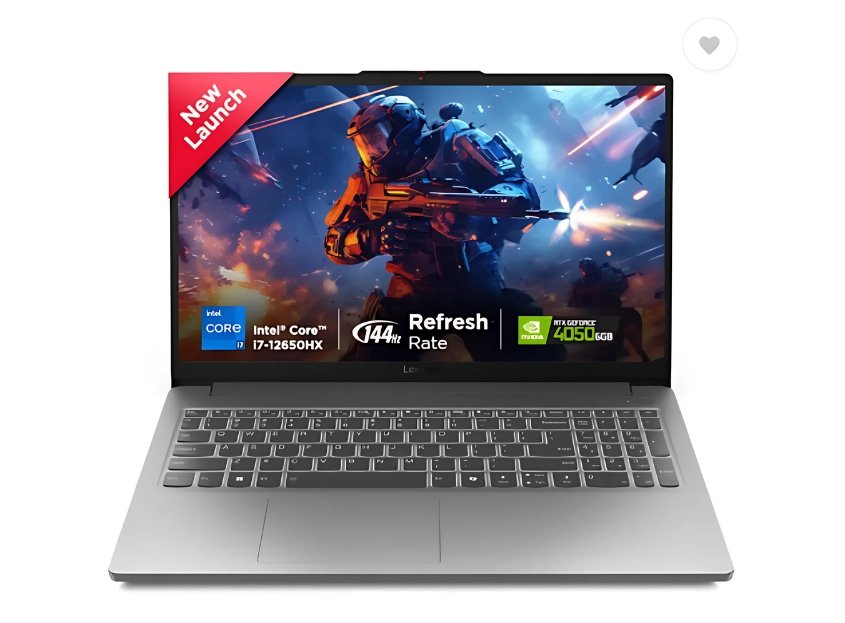
i) Lenovo LOQ (Intel Core i7-12650HX + RTX 4050)
-
Price:- ₹83,990 /-
The Lenovo LOQ i7 (12th Gen) variant is a strong contender in this price range, offering an excellent balance between CPU performance and graphics power. The Intel Core i7-12650HX is a 10-core processor with high single-core and multi-core performance, making it suitable not only for gaming but also for demanding creative workloads like video editing and 3D rendering.
With the NVIDIA GeForce RTX 4050 GPU, you can comfortably play modern AAA games at 1080p high settings. The 15.6-inch FHD display with 144 Hz refresh rate ensures smooth gameplay, especially for fast-paced eSports titles. It also includes 12 GB RAM (expandable) and 512 GB SSD, which is decent for most gamers, though upgrading the RAM to 16 GB is recommended for heavy multitasking.
Specifications
| Specification | Details |
|---|---|
| Model / SKU | Lenovo LOQ Essential 15IAX9E |
| Processor | Intel Core i7-12650HX (12th Gen, 10 cores) |
| Graphics | NVIDIA GeForce RTX 4050 (6 GB GDDR6) |
| RAM | 12 GB DDR5 (expandable) |
| Storage | 512 GB NVMe SSD |
| Display | 15.6″ FHD (1920×1080), 144 Hz |
| Operating System | Windows 11 Home |
| Weight | ~2.2 kg |
Pros ✅
-
Intel i7 processor delivers excellent performance
-
RTX 4050 GPU handles AAA games smoothly
-
Expandable RAM for future needs
-
Reliable Lenovo cooling design
Cons ❌
-
Ships with only 12 GB RAM (upgrade recommended)
-
Slightly heavy
Best For: Gamers and creators who want a powerful i7 CPU and don’t mind upgrading RAM for long-term use.
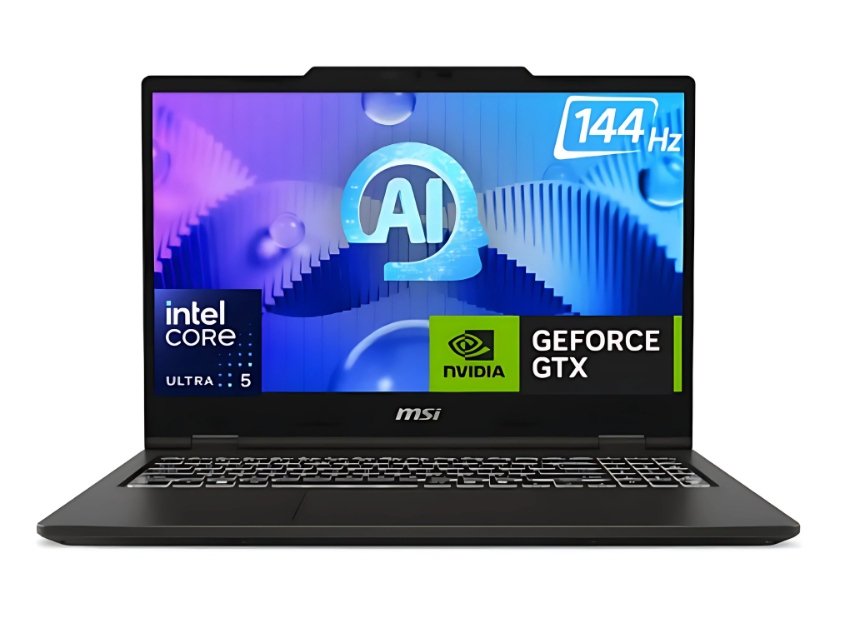
ii) MSI VenturePro 15 (Intel + RTX 4050/4060)
-
Price:- ₹84,990 /-
The MSI VenturePro 15 is stylish and performance-driven. With Intel 13th/14th Gen CPUs and RTX 4050/4060 GPU options, it balances professional design with strong gaming capabilities.
Specifications
| Specification | Details |
|---|---|
| Model / SKU | MSI VenturePro 15 |
| Processor | Intel 13th/14th Gen (varies by model) |
| Graphics | NVIDIA RTX 4050 / 4060 |
| RAM | 16 GB DDR5 |
| Storage | 512 GB SSD |
| Display | 15.6″ FHD, 144 Hz |
| Operating System | Windows 11 Home |
| Weight | ~2 kg |
Pros ✅
-
Sleek professional look
-
Good GPU options
-
Strong thermal design
Cons ❌
-
Limited availability in India
-
After-sales support varies
Best For: Professionals who want both gaming and work performance.
Comparison Table: Best Gaming Laptops Under 80000 in India (2025)
| Model | Processor | Graphics | RAM / Storage | Display | Weight | Best For |
|---|---|---|---|---|---|---|
| Acer Nitro V16 | Intel Core i5-14450HX | RTX 4050 (6 GB) | 16 GB / 512 GB SSD | 16″ WUXGA, 165 Hz | ~2.2 kg | Large-screen gamers, value seekers |
| ASUS TUF Gaming F16 | Intel Core i5-210H | RTX 4050 (6 GB) | 16 GB / 512 GB SSD | 16″ FHD+, 144 Hz | ~2.3 kg | Rugged build, long-term durability |
| ASUS Gaming V16 (i5) | Intel Core i5-210H | RTX 4050 (6 GB) | 16 GB / 512 GB SSD | 16″ WUXGA, 144 Hz | ~1.95 kg | Portable 16″ gaming, students |
| ASUS Gaming V16 (i7) | Intel Core 7-240H | RTX 4050 (6 GB) | 16 GB / 512 GB SSD | 16″ WUXGA, 144 Hz | ~1.95 kg | High CPU power, multitaskers |
| ASUS TUF Gaming A15 | AMD Ryzen 7-7435HS | RTX 4050 (6 GB) | 16 GB / 512 GB SSD | 15.6″ FHD, 144 Hz | ~2.3 kg | Durable design, heavy gaming |
| HP Victus 15 (i7) | Intel i7-13620H | RTX 4050 (6 GB) | 16 GB / 512 GB SSD | 15.6″ FHD, 144 Hz | ~2.3 kg | Gaming + productivity balance |
| HP Victus 15 (Ryzen 7) | AMD Ryzen 7-8845HS | RTX 4050 (6 GB) | 16 GB / 512 GB SSD | 15.6″ FHD, 144 Hz | ~2.29 kg | Creators who game & edit |
| Lenovo LOQ 2024 (i5) | Intel i5-13450HX | RTX 4060 (8 GB) | 16 GB / 512 GB SSD | 15.6/16″ FHD, 144 Hz | ~2.2 kg | RTX 4060 gaming on budget |
| Lenovo LOQ (Ryzen 7) | AMD Ryzen 7-7435HS | RTX 4050/4060 | 16 GB / 512 GB SSD | 15.6″ FHD, 144 Hz | ~2.3 kg | Ryzen multitasking + gaming |
| Lenovo LOQ (i7 12th Gen) | Intel i7-12650HX | RTX 4050 (6 GB) | 12–16 GB / 512 GB SSD | 15.6″ FHD, 144 Hz | ~2.2 kg | CPU-heavy tasks, editing |
| MSI VenturePro 15 | Intel 13th/14th Gen | RTX 4050/4060 | 16 GB / 512 GB SSD | 15.6″ FHD, 144 Hz | ~2.0 kg | Professionals who also game |
Final Thoughts
Choosing the best gaming laptop under ₹80,000 in India (2025) depends on your specific needs. If you want future-proof gaming performance, go for laptops with RTX 4060 GPUs like the Lenovo LOQ 2024 or MSI VenturePro 15. If you prefer a balance of price and performance, Acer Nitro V16 and ASUS TUF Gaming F16 are excellent options. For students and professionals who also game, HP Victus models strike the perfect balance.
At this price range, you won’t feel left out in terms of power. You can comfortably enjoy high-refresh-rate gaming, smooth multitasking, and even content creation. Just make sure to consider your primary use case — whether it’s gaming, editing, or portability — before picking the right one.
👉 Overall, our top recommendation for value for money is the Acer Nitro V16, while the Lenovo LOQ with RTX 4060 is the best performance beast under ₹80,000 in 2025.
FAQs:-
Q1. Which is the best gaming laptop under 80000 in India (2025)?
The ASUS TUF Gaming A15 and HP Victus 16 are among the best options under 80000, offering high refresh rate displays, powerful GPUs, and reliable cooling.
Q2. Can I get an RTX graphics card in a gaming laptop under 80000?
Yes, many laptops under 80000 come with NVIDIA RTX 3050 / RTX 4050, which are great for high-end gaming and video editing.
Q3. Is a 144Hz display available in laptops under 80000?
Absolutely! Most gaming laptops in this budget offer 144Hz or higher refresh rate displays for smooth gameplay.
Q4. Which brand offers the most reliable gaming laptops under 80000?
Popular and reliable brands include ASUS, Acer, HP, MSI, and Lenovo — all with solid after-sales support in India.
Q5. Are gaming laptops under 80000 good for video editing and streaming?
Yes, these laptops come with powerful CPUs, dedicated GPUs, and SSD storage, making them perfect for editing, rendering, and streaming.
Q6. Should I buy Intel or AMD gaming laptop under 80000?
Both are good, but AMD Ryzen CPUs usually give better multitasking & battery efficiency, while Intel offers strong single-core performance.
Q7. How much RAM is ideal for a gaming laptop under 80000?
At least 16GB RAM is recommended for smooth gaming, multitasking, and future-proof performance.
Disclaimer
All laptops listed here are based on available specifications and online listings. Prices, features, and availability may change over time. Please check the latest details on the official website or trusted sellers before buying. This post may include affiliate links that help us keep the site running — at no extra cost to you.
🔥Top 10 Best Gaming Laptops Under 1 Lakh (2025)
🔥Top 7 Best Gaming Laptops Under 60000 in 2025
🔥Best Gaming Laptop Under 50000 for Students & Gamers in 2025