Best laptop for coding under 30000: Are you looking for the best laptop for coding under ₹30,000 in India in 2025, but feeling confused with too many options? Don’t worry—you’re not alone. For students, beginners, and even budding developers, finding a budget-friendly yet powerful laptop is the first step toward a smooth coding journey.
The good news is that in 2025, several brands like HP, Dell, Lenovo, Acer, and ASUS offer laptops under ₹30,000 that can handle programming, web development, and basic app/software projects with ease. While these laptops may not be built for heavy game development or AI coding, they are more than capable of running popular IDEs such as VS Code, PyCharm, and even Android Studio (with some tweaks).
In this guide, we’ll explore the top laptops for coding under ₹30,000, their key features, pros & cons, and buying tips—so you can make the right choice without wasting time or money. Whether you’re a college student, beginner programmer, or someone who codes as a hobby, this list will help you pick the perfect laptop to kickstart your journey.
Things to Consider Before Buying a Coding Laptop Under ₹30,000 (2025)
Buying a budget-friendly laptop for coding is not just about price—it’s about finding the right balance between performance, reliability, and future upgradability. Here are the key factors you should look at before making your choice:
1. Processor (CPU)
Go for at least an Intel Core i3 (latest gen) or AMD Ryzen 3.
A good CPU ensures your laptop can handle coding software, compilers, and multitasking smoothly.
2. RAM (Memory)
Minimum 4GB RAM is common in this range, but 8GB is strongly recommended.
Check if the laptop allows RAM upgrades so you can improve performance later.
3. Storage Type
Always prefer SSD over HDD.
An SSD (256GB or more) makes your laptop boot faster, loads IDEs like VS Code or Android Studio quickly, and improves overall coding efficiency.
4. Display & Screen Size
A Full HD (1920×1080) display is best for long coding sessions, as it reduces eye strain.
A 14-inch or 15.6-inch screen gives a good balance between portability and comfort.
5. Battery Life
Look for laptops with at least 5–7 hours of battery backup.
Longer battery life ensures you can code anywhere without worrying about charging frequently.
6. Keyboard Quality
A comfortable, well-spaced keyboard with good key travel is a must for programmers.
Backlit keyboards (if available in this range) are a bonus for working in low-light conditions.
7. Operating System
Most laptops under ₹30,000 come with Windows 11 Home.
If you prefer lightweight performance for coding, you can install Linux (like Ubuntu) for faster speed and developer-friendly tools.
8. Upgradability Options
Choose a laptop that supports RAM and storage upgrades.
This makes your device future-ready without needing a full replacement.
9. Brand & After-Sales Support
Stick to trusted brands like HP, Dell, Lenovo, Acer, or ASUS.
Good customer support and service centers are crucial in the long run.
✅ Quick Checklist: Coding Laptop Under ₹30,000 (2025)
Processor: Intel i3 / AMD Ryzen 3 (latest gen)
RAM: Minimum 4GB (upgradeable to 8GB preferred)
Storage: SSD (256GB+) over HDD for speed
Display: Full HD, 14–15.6 inch
Battery: At least 5–7 hours of backup
Keyboard: Comfortable & well-spaced (backlit if possible)
OS: Windows 11 or Linux (developer-friendly)
Upgradability: RAM & storage expansion options
Brand: HP, Dell, Lenovo, Acer, or ASUS, with good support
Acer Laptops:-
Acer Aspire 3
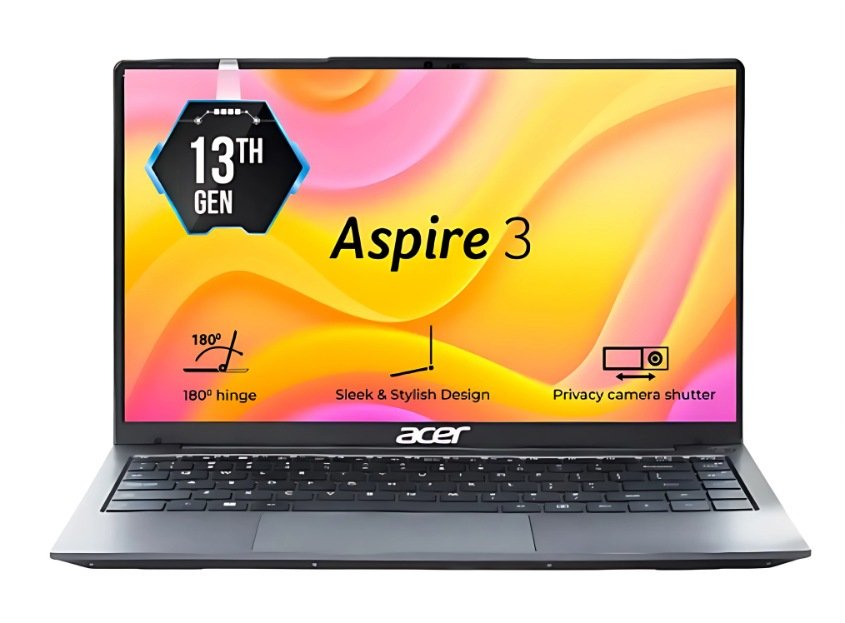
- Price :-₹31,450 /-
Specifications:-
| Attributes | Details |
|---|---|
| Model Name | Aspire 3 |
| Processor | Intel Core i3-1305U |
| Graphics | Intel UHD Graphics |
| RAM | 8 GB |
| Storage | 512GB SSD |
| Display | 14 Inches Full-HD Display |
| Battery Life | Up to 6 hours |
| Operating System | Windows 11 Home |
| MS Office | No |
| Bluetooth Version | 5.2 |
| Wi-Fi Generation | Wi-Fi 6 |
| Backlit Keyboard | YES |
| Warranty | 1 Year Onsite Warranty |
| Weight | 1.45KG |
Acer Aspire Lite(i3 13th gen)
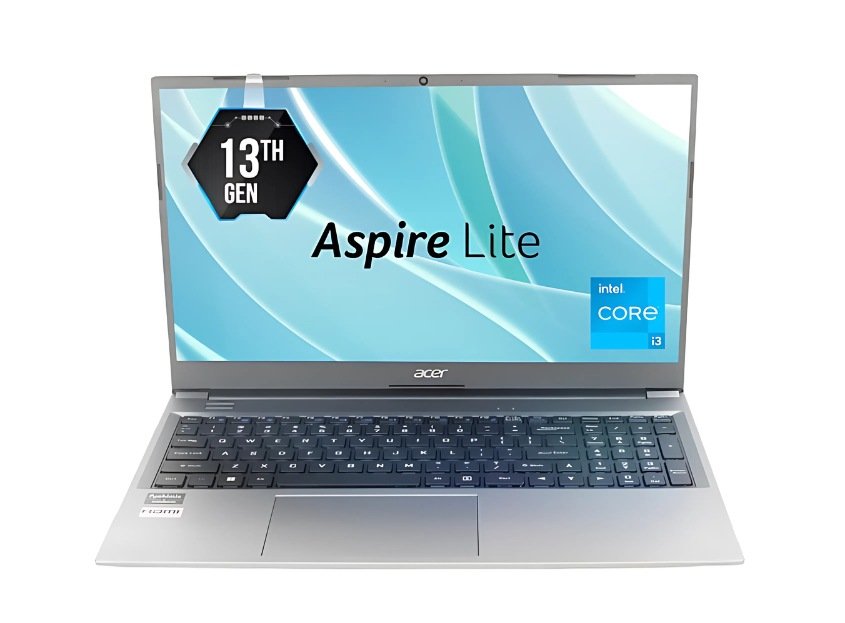
- Price :-₹30,704 /-
Specifications:-
| Attributes | Details |
|---|---|
| Model Name | AL15-53 |
| Processor | Intel Core i3-1305U |
| Graphics | Intel UHD Graphics |
| RAM | 8 GB |
| Storage | 512GB SSD |
| Display | 15.6 inch Full-HD Display |
| Battery Life | Up to 6 hours |
| Operating System | Windows 11 Home |
| MS Office | No |
| Bluetooth Version | YES |
| Wi-Fi Generation | YES |
| Backlit Keyboard | No |
| Warranty | 1 Year Onsite Warranty |
| Weight | 1.75 kg |
Acer Aspire Lite(Ryzen 5 5625U)
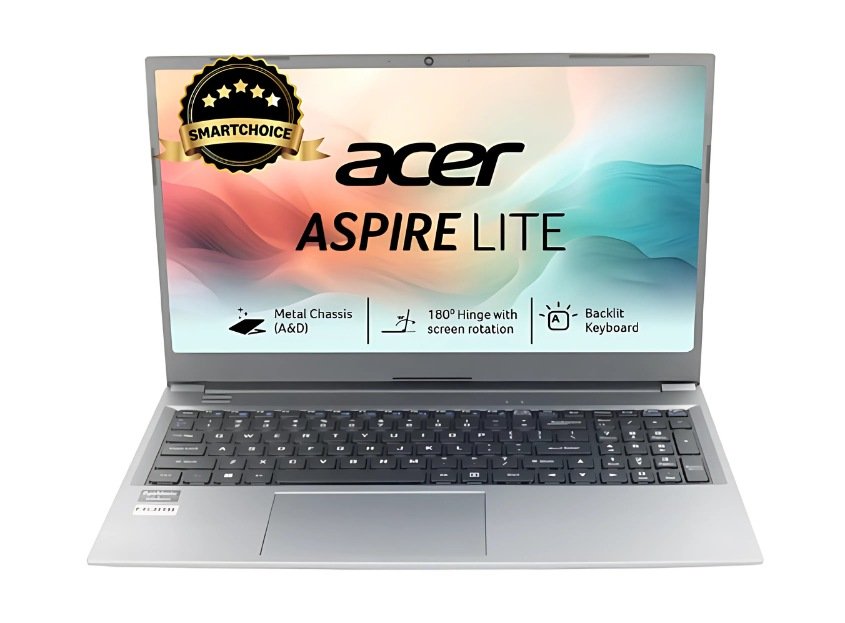
- Price :-₹32,938 /-
Specifications:-
| Attributes | Details |
|---|---|
| Model Name | AL15-41 |
| Processor | AMD Ryzen 5 Hexa Core 5625U |
| Graphics | AMD Radeon AMD |
| RAM | 8 GB |
| Storage | 512GB SSD |
| Display | 15.6 inch Full-HD Display |
| Battery Life | Up to 4-5 hours |
| Operating System | Windows 11 Home |
| MS Office | No |
| Bluetooth Version | 5.1 |
| Wi-Fi Generation | YES |
| Backlit Keyboard | No |
| Warranty | 1 Year Onsite Warranty |
| Weight | 1.75 kg |
HP Laptops:-
HP 255 G10
- Price :-₹29,650 /-
Specifications:-
| Attributes | Details |
|---|---|
| Model Name | HP 255 G10 |
| Processor | AMD Ryzen 5 Quad Core 7520U |
| Graphics | AMD Radeon AMD |
| RAM | 8 GB |
| Storage | 512GB SSD |
| Display | 15.6 inch Full-HD Display |
| Battery Life | Up to 4-5 hours |
| Operating System | Windows 11 Home |
| MS Office | YES |
| Bluetooth Version | 5.3 |
| Wi-Fi Generation | WIFI 6 |
| Backlit Keyboard | No |
| Warranty | 1 Year Onsite Warranty |
| Weight | 1.52 kg |
HP 15s
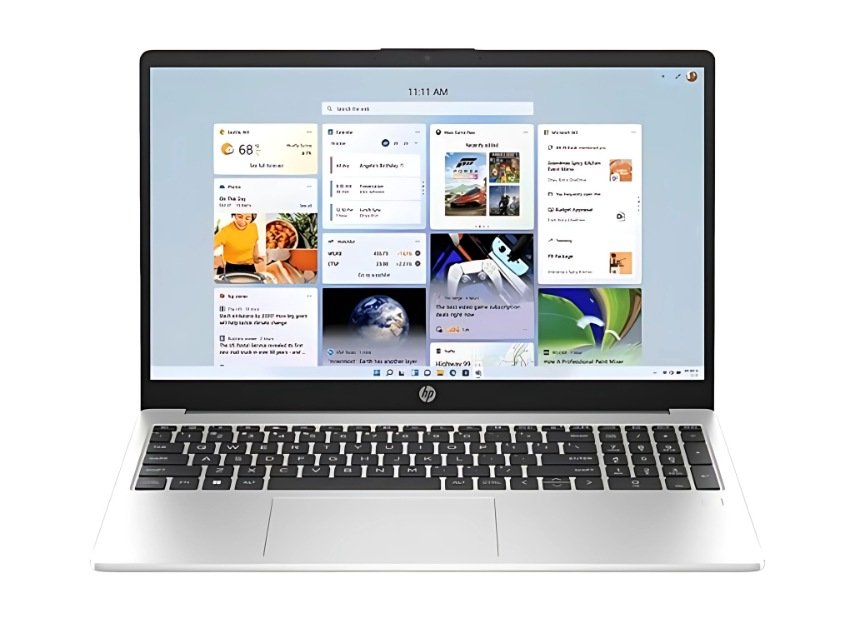
- Price :- /-
Specifications:-
| Attributes | Details |
|---|---|
| Model Name | 15s-fq5007TU |
| Processor | Intel Core i3 12th Gen 1215U |
| Graphics | Intel Integrated UHD |
| RAM | 8 GB |
| Storage | 512GB SSD |
| Display | 15.6 inch Full-HD Display |
| Battery Life | Up to 6 hours |
| Operating System | Windows 11 Home |
| MS Office | YES |
| Bluetooth Version | 5.0 |
| Wi-Fi Generation | Wifi 5 |
| Backlit Keyboard | YES |
| Warranty | 1 Year Onsite Warranty |
| Weight | 1.69 kg |
Asus Laptops:-
Asus Vivobook Go 15
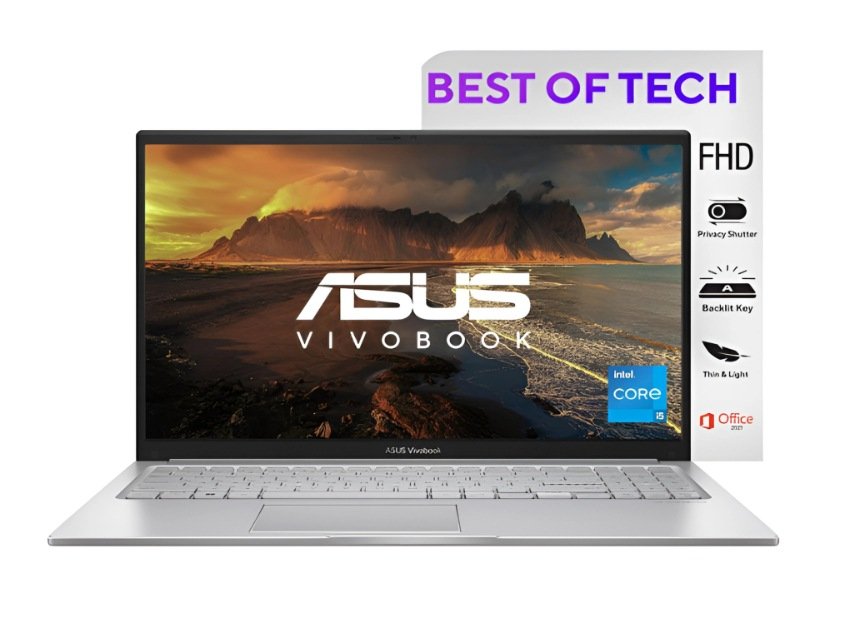
- Price :-₹29,750 /-
Specifications:-
| Attributes | Details |
|---|---|
| Model Name | E1504FA-NJ322WS |
| Processor | AMD Ryzen 3 Quad Core 7320U |
| Graphics | AMD Radeon AMD |
| RAM | 8 GB |
| Storage | 512GB SSD |
| Display | 14 inch Full-HD Display |
| Battery Life | Up to 6 hours |
| Operating System | Windows 11 Home |
| MS Office | YES |
| Bluetooth Version | 5.3 |
| Wi-Fi Generation | Wi-Fi 6E |
| Backlit Keyboard | No |
| Warranty | 1 Year Onsite Warranty |
| Weight | 1.38 Kg |
Asus Vivobook 15
- Price :-₹30,990 /-
Specifications:-
| Attributes | Details |
|---|---|
| Model Name | Vivobook 15 |
| Processor | Intel Core i3-1215U |
| Graphics | Intel UHD Graphics |
| RAM | 8 GB |
| Storage | 512GB SSD |
| Display | 15.6 inch Full-HD Display |
| Battery Life | Up to 6 hours |
| Operating System | Windows 11 Home |
| MS Office | YES |
| Bluetooth Version | 5.0 |
| Wi-Fi Generation | Wi-Fi 6E |
| Backlit Keyboard | YES |
| Warranty | 1 Year Onsite Warranty |
| Weight | 1.7KG |
Lenovo Laptop:-
Lenovo Ideapad Slim 3
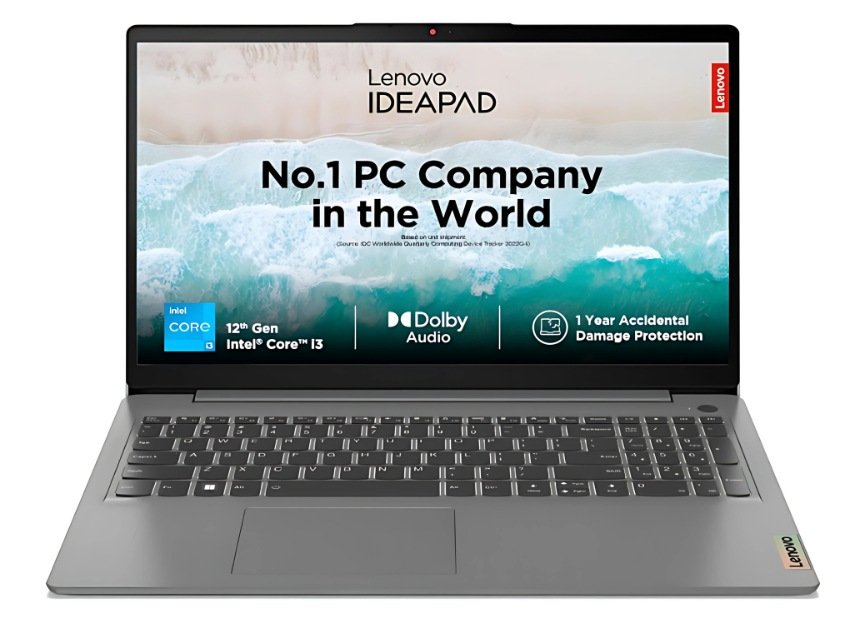
- Price :-₹28,910 /-
Specifications:-
| Attributes | Details |
|---|---|
| Model Name | 15IAU7 |
| Processor | Intel Core i3 12th Gen 1215U |
| Graphics | Intel UHD Graphics |
| RAM | 8 GB |
| Storage | 512GB SSD |
| Display | 14 inch Full-HD Display |
| Battery Life | Up to 6 hours |
| Operating System | Windows 11 Home |
| MS Office | YES |
| Bluetooth Version | 5.0 |
| Wi-Fi Generation | Wi-Fi 6 |
| Backlit Keyboard | No |
| Warranty | 1 Year Onsite Warranty |
| Weight | 1.43Kg |
Dell Laptop:-
Dell Latitude 3440 (2024)
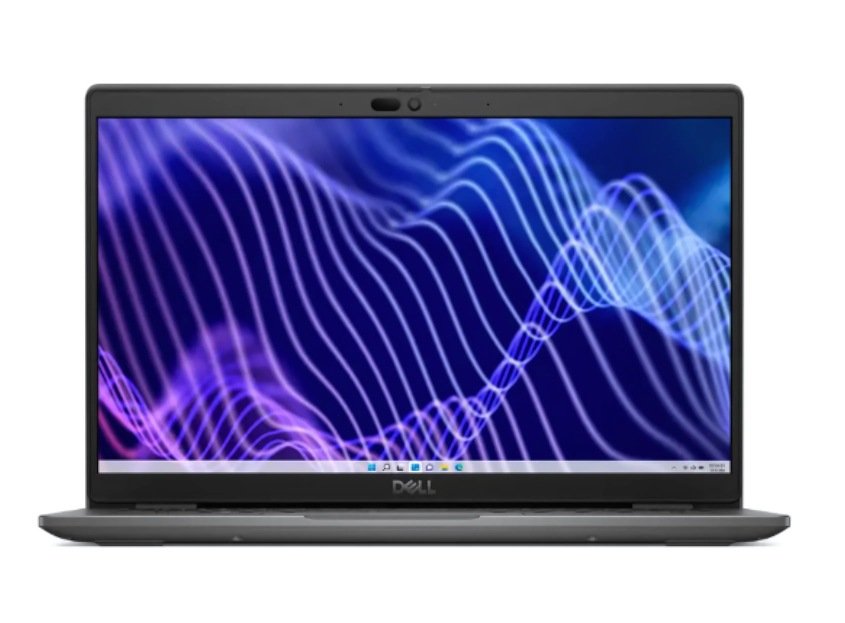
- Price :-₹29,993 /-
Specifications:-
| Attributes | Details |
|---|---|
| Model Name | Latitude 3440 |
| Processor | Intel Core i3 12th Gen 1215U |
| Graphics | Intel UHD Graphics |
| RAM | 8 GB |
| Storage | 512GB SSD |
| Display | 14 inch Full-HD Display |
| Battery Life | Up to 6 hours |
| Operating System | Windows 11 Home |
| MS Office | No |
| Bluetooth Version | 5.3 |
| Wi-Fi Generation | Wi-Fi 6E |
| Backlit Keyboard | No |
| Warranty | 1 Year Onsite Warranty |
| Weight | 1.5 kg |
Final Thoughts: Which Laptop Should You Choose?
Finding the best laptop for coding under ₹30,000 in India (2025) depends on your personal needs and preferences. If you are a student or beginner, go for a laptop with SSD storage and at least 4GB RAM (upgradeable to 8GB) for smoother performance. If you want better multitasking, choose a model that allows easy upgrades.
Brands like HP, Dell, Lenovo, Acer, and ASUS provide reliable options in this budget range, so it’s always wise to pick the one you trust the most. All the laptops listed above are capable of handling basic to intermediate programming, web development, and coding tasks.
👉 Ultimately, the right laptop is the one that balances performance, reliability, and your budget. Start with what fits your needs today, and you can always upgrade later as your coding journey grows.
FAQs About best laptop for coding under 30000 in india(2025)
- Q1. Can I get a good laptop for coding under ₹30,000 in India?
Yes, you can. While you may not get high-end machines, there are several budget laptops under ₹30,000 that can smoothly handle basic to intermediate coding, web development, and programming tasks.
- Q2. Which type of coding is possible on laptops under ₹30,000?
These laptops are suitable for beginners, students, and entry-level programmers. You can easily do C, C++, Java, Python, web development, and lightweight app development. However, for heavy tasks like game development, AI, or large-scale projects, you may need a more powerful laptop.
- Q3. Can I run Android Studio or Visual Studio on these laptops?
Yes, but with limitations. Android Studio and Visual Studio will work better if you have at least 8GB RAM and SSD storage. On entry-level laptops, performance might feel a bit slow, but manageable for practice and small projects.
- Q4. Are budget laptops under ₹30,000 future-proof for coding?
They are good for learning and starting your coding journey, but not completely future-proof for heavy projects. If your budget allows, you can upgrade RAM or SSD later, or switch to a higher-spec laptop after gaining experience.
- Q5. Which brand offers the best budget coding laptops in India under ₹30,000?
Brands like HP, Dell, Lenovo, Acer, and ASUS provide reliable laptops in this range. Always check user reviews and specifications before buying.
- Q6. How to choose the best laptop for coding under ₹30,000?
Look for these key features:
Processor: At least Intel i3 or Ryzen 3 (latest gen if possible)
RAM: Minimum 4GB (upgradeable to 8GB preferred)
Storage: SSD (256GB or higher)
Display: Full HD for better clarity
Battery life: 5–7 hours
- Q7. Which operating system is better for coding on budget laptops – Windows or Linux?
Both work well. Windows is more beginner-friendly and supports most software. Linux (like Ubuntu) is lightweight and preferred by many programmers for coding efficiency. If your laptop is low on resources, Linux can give better performance.
Disclaimer
The laptops, specifications, and prices mentioned in this article are based on research and available information as of 2025. Actual product details may vary by seller, location, and time. Please verify all features, configurations, and warranty details on the official brand website or from authorized retailers before making a purchase. This content is for informational purposes only and should not be treated as professional buying advice.
best laptop under 60000 for coding(2025)
best laptops under 45000 for coding(2025)