Best laptop for students under 40000(2025): Finding the best laptop for students under ₹40,000 in 2025 can be confusing with so many options on the market. As a student, you need a laptop that is not only affordable but also powerful enough to handle online classes, assignments, presentations, research, coding, and even light entertainment. The good news is that in 2025, brands like HP, Dell, Lenovo, ASUS, and Acer are offering laptops in this budget that deliver a perfect balance of performance, portability, and value for money.
In this guide, we’ve handpicked the top best laptops under ₹40,000 for students, compared their features, and highlighted the pros and cons to help you make the right choice. Whether you’re a college student, a school learner, or someone preparing for competitive exams, this list will help you find a laptop that suits your study style and future goals.
Things to Consider Before Buying a Student Laptop Under ₹40,000 (2025)
Choosing the right laptop as a student is more than just looking at the price tag. You need a device that can handle online classes, assignments, projects, entertainment, and sometimes coding or designing. Before you buy, here are the key factors you should check:
1. Processor (CPU)
Go for at least an Intel Core i3 (latest gen) or AMD Ryzen 3/5.
A strong processor ensures smooth performance for multitasking, online classes, and academic software.
2. RAM (Memory)
8GB RAM is ideal for students in 2025.
If you buy a 4GB model, make sure it has an upgrade option for the future.
3. Storage (HDD vs SSD)
Always prefer SSD storage (256GB or 512GB) over HDD.
SSD makes your laptop faster, more responsive, and efficient, which is crucial for students juggling multiple tasks.
4. Display & Screen Size
A Full HD (1920×1080) display is best for long study hours, reducing eye strain.
Screen size between 14–15.6 inches offers a balance of portability and comfort.
5. Battery Life
Students need laptops that last through lectures and study sessions. Look for at least 6–8 hours of battery backup.
6. Keyboard & Build Quality
A comfortable keyboard with good key travel is important for typing notes and assignments.
Durable build quality ensures the laptop lasts throughout your academic years.
7. Operating System
Most laptops under ₹40,000 come with Windows 11, which is great for students.
If you prefer a lightweight, coding-friendly option, you can also install Linux (like Ubuntu).
8. Graphics (Optional)
For normal student use, integrated graphics (Intel UHD, Intel Iris Xe, or AMD Radeon) are enough.
If you’re into designing or light gaming, go for laptops with better integrated graphics.
9. Upgradability
A student laptop should have options to upgrade RAM or storage so it stays future-proof without needing a full replacement.
10. Brand & After-Sales Service
Stick to trusted brands like HP, Dell, Lenovo, ASUS, or Acer.
Good warranty and service centers make a big difference in the long run.
Pro Tip: Always choose a laptop with SSD + 8GB RAM (upgradeable) + a reliable processor. This simple formula ensures smooth performance for both study and light professional tasks.
Quick Checklist: Student Laptop Under ₹40,000 (2025)
Processor: Intel Core i3 / Ryzen 3 (latest gen) or better
RAM: 8GB recommended (upgradeable option is a plus)
Storage: SSD (256GB–512GB) > HDD
Display: Full HD (1920×1080), 14–15.6 inch
Battery Life: Minimum 6–8 hours backup
Keyboard: Comfortable & durable for long typing sessions
OS: Windows 11 (Linux optional for coding)
Graphics: Integrated graphics (Iris Xe / Radeon) are good enough for students
Upgradability: RAM and storage expansion support
Brand: HP, Dell, Lenovo, ASUS, Acer, with reliable service
Acer Aspire 3 (i5 12th Gen)
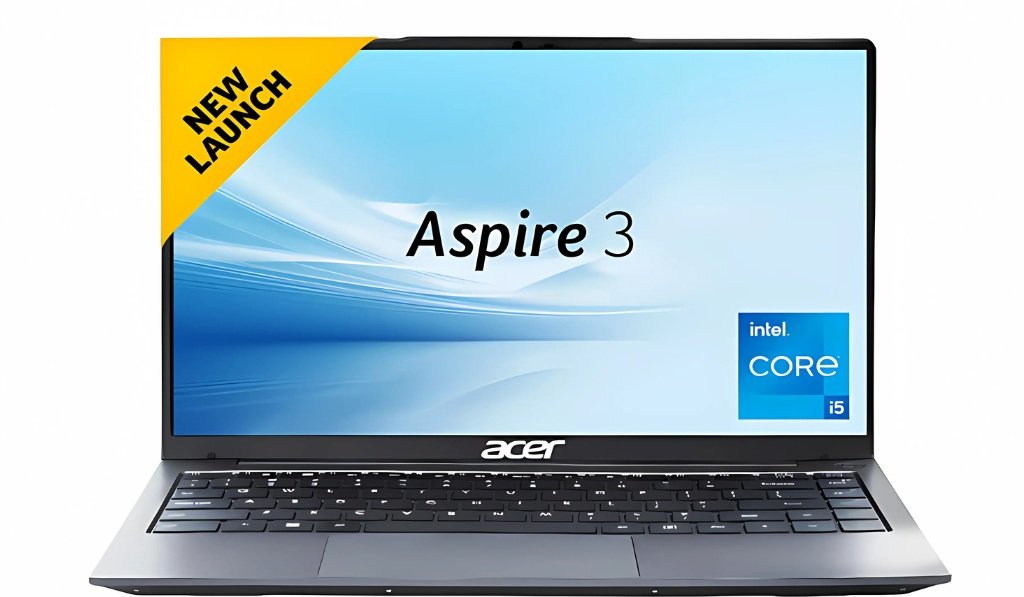
- Price :-₹40,695 /-
Specifications:-
| Attributes | Details |
|---|---|
| Model Name | A315-59 |
| Processor | Intel Core i5 12th Gen 1235U |
| Graphics | Intel Integrated Integrated |
| RAM | 16 GB |
| Storage | 512GB SSD |
| Display | 15.6 Inch Full-HD Display |
| Battery Life | Up to 6 hours |
| Operating System | Windows 11 Home |
| MS Office | No |
| Bluetooth Version | 5.0 |
| Wi-Fi Generation | Wi-Fi provided |
| Backlit Keyboard | No |
| Warranty | 1 Year Onsite Warranty |
| Weight | 1.78 Kg |
Lenovo V15
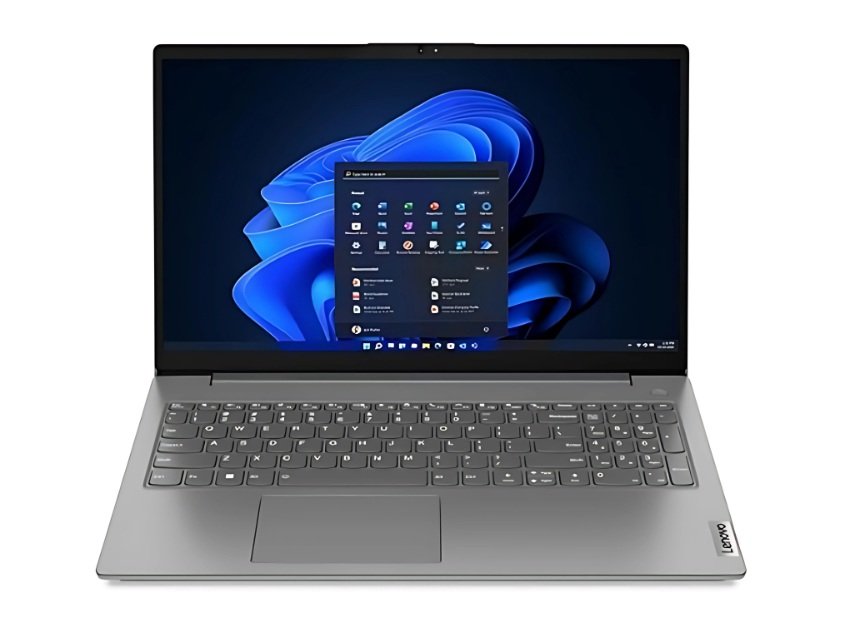
- Price :-₹39,790 /-
Specifications:-
| Attributes | Details |
|---|---|
| Model Name | V15 |
| Processor | Intel Core i5 12th Gen 1235U |
| Graphics | Intel Integrated UHD |
| RAM | 8 GB |
| Storage | 512GB SSD |
| Display | 16 Inch Full-HD Display |
| Battery Life | Up to 6 hours |
| Operating System | Windows 11 Home |
| MS Office | YES |
| Bluetooth Version | 5.1 |
| Wi-Fi Generation | Wi-Fi 6 |
| Backlit Keyboard | No |
| Warranty | 1 Year Onsite Warranty |
| Weight | 1.6 Kg |
ASUS Vivobook 15
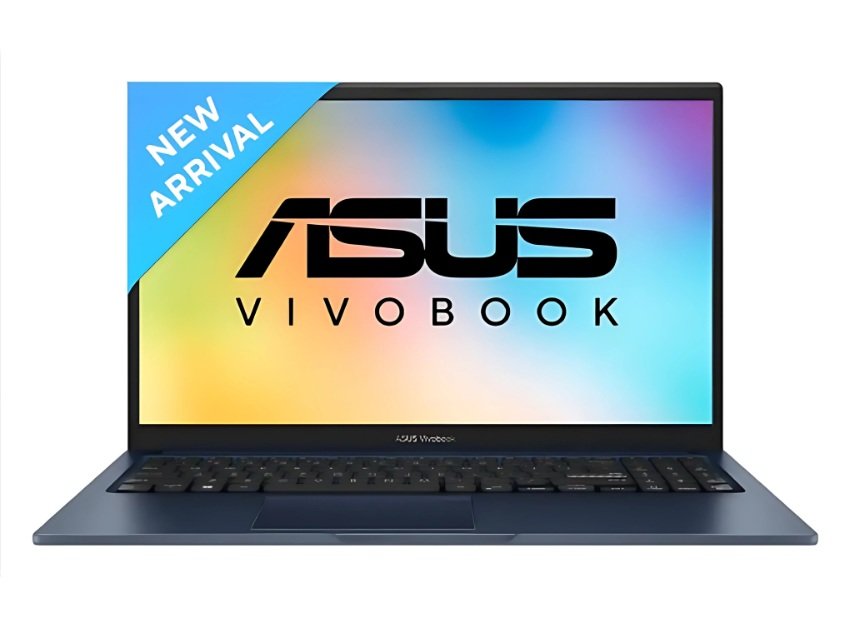
- Price :-₹40,990 /-
Specifications:-
| Attributes | Details |
|---|---|
| Model Name | Vivobook 15 |
| Processor | Intel Core i5 12th Gen 1235U |
| Graphics | Intel Integrated Iris Xe |
| RAM | 8 GB |
| Storage | 512GB SSD |
| Display | 15.6 Inch Full-HD Display |
| Battery Life | Up to 6 hours |
| Operating System | Windows 11 Home |
| MS Office | YES |
| Bluetooth Version | 5.3 |
| Wi-Fi Generation | Wi-Fi 6E |
| Backlit Keyboard | YES |
| Warranty | 1 Year Onsite Warranty |
| Weight | 1.70 Kg |
Samsung Galaxy Book 4

- Price :-₹38,990 /-
Specifications:-
| Attributes | Details |
|---|---|
| Model Name | Galaxy Book 4 |
| Processor | Intel Core i3 13th Gen 1315U |
| Graphics | Intel Iris Xe Graphics |
| RAM | 8 GB / 16 GB (not expandable) |
| Storage | 512GB SSD |
| Display | 15.6 Inch Full-HD Display |
| Battery Life | Up to 6 hours |
| Operating System | Windows 11 Home |
| MS Office | YES |
| Bluetooth Version | 5.3 |
| Wi-Fi Generation | Wi-Fi 6 |
| Backlit Keyboard | YES |
| Warranty | 1 Year Onsite Warranty |
| Weight | 1.55 Kg |
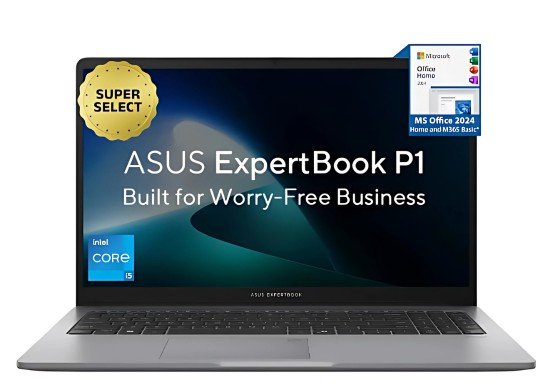
Asus Expertbook P1
- Price :-₹37,990 /-
Specifications:-
| Attributes | Details |
|---|---|
| Model Name | Expertbook P1 |
| Processor | Intel Core i3 13th Gen 1315U |
| Graphics | Intel Integrated UHD |
| RAM | 8 GB |
| Storage | 512GB SSD |
| Display | 15.6 Inch Full-HD Display |
| Battery Life | Up to 6-7 hours |
| Operating System | Windows 11 Home |
| MS Office | YES |
| Bluetooth Version | 5.4 |
| Wi-Fi Generation | Wi-Fi 6 |
| Keyboard | No Backlit |
| Warranty | 1 Year Onsite Warranty |
| Weight | 1.62 Kg |
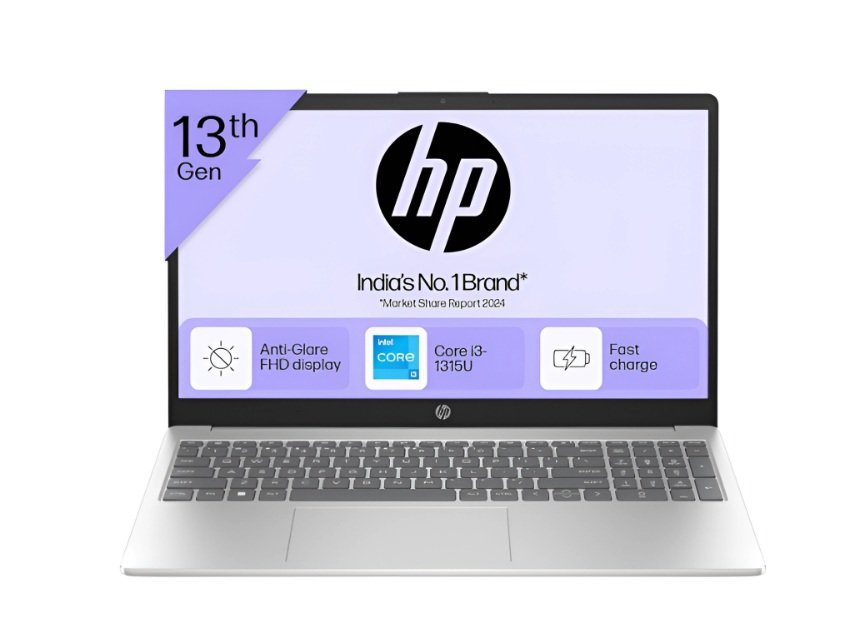
HP 15
- Price :-₹36,400 /-
Specifications:-
| Attributes | Details |
|---|---|
| Model Name | 15-fd1253TU |
| Processor | Intel Core i3 13th Gen 1315U |
| Graphics | Intel Integrated UHD |
| RAM | 8 GB |
| Storage | 512GB SSD |
| Display | 15.6 Inch Full-HD Display |
| Battery Life | Up to 6-7 hours |
| Operating System | Windows 11 Home |
| MS Office | YES |
| Bluetooth Version | 5.3 |
| Wi-Fi Generation | Wi-Fi 6 |
| Backlit Keyboard | No |
| Warranty | 1 Year Onsite Warranty |
| Weight | 1.65 Kg |
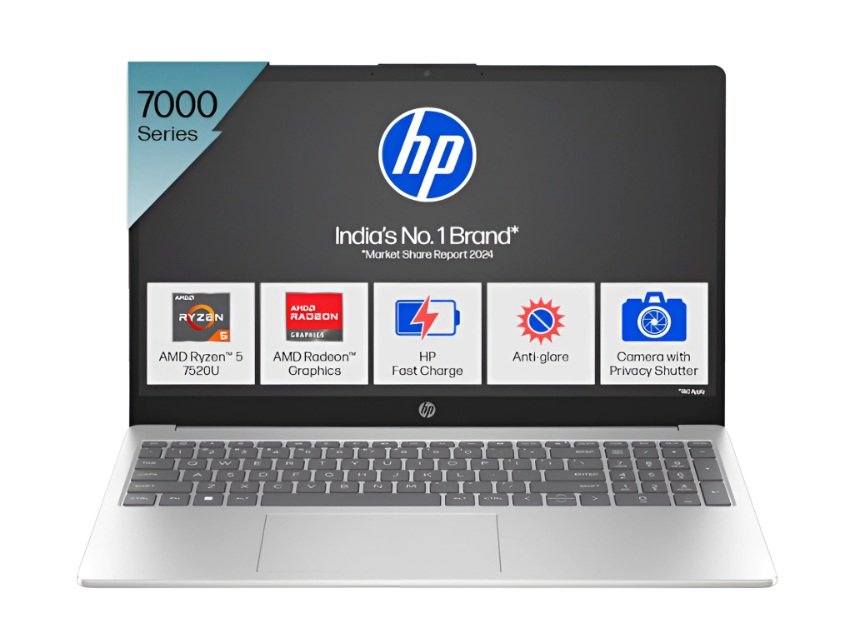
HP 15 (AMD Ryzen 5 7520U)
- Price :-₹34,192 /-
Specifications:-
| Attributes | Details |
|---|---|
| Model Name | 15-fc0029AU |
| Processor | AMD Ryzen 5 Quad Core 7520U |
| Graphics | AMD Radeon AMD |
| RAM | 8 GB |
| Storage | 512GB SSD |
| Display | 15.6 Inch Full-HD Display |
| Battery Life | Up to 6-7 hours |
| Operating System | Windows 11 Home |
| MS Office | YES |
| Bluetooth Version | 5.3 |
| Wi-Fi Generation | Wi-Fi 6 |
| Backlit Keyboard | YES |
| Warranty | 1 Year Onsite Warranty |
| Weight | 1.75 Kg |
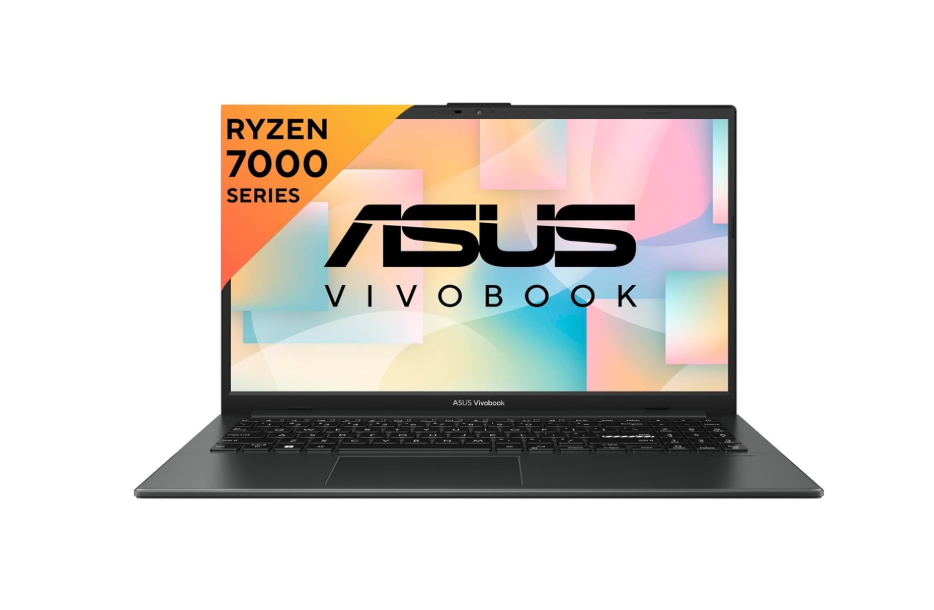
ASUS Vivobook Go 15
- Price :-₹35,990 /-
Specifications:-
| Attributes | Details |
|---|---|
| Model Name | Vivobook Go 15 |
| Processor | AMD Ryzen 5 Quad Core 7520U |
| Graphics | AMD Radeon AMD |
| RAM | 8 GB |
| Storage | 512GB SSD |
| Display | 15.6 Inch Full-HD Display |
| Battery Life | Up to 6-7 hours |
| Operating System | Windows 11 Home |
| MS Office | YES |
| Bluetooth Version | 5.0 |
| Wi-Fi Generation | Wi-Fi 6E |
| Backlit Keyboard | No |
| Warranty | 1 Year Onsite Warranty |
| Weight | 1.63 Kg |
Lenovo IdeaPad Slim 1
- Price :-₹34,740 /-
Specifications:-
| Attributes | Details |
|---|---|
| Model Name | IdeaPad Slim 1 |
| Processor | AMD Ryzen 5 Quad Core 7520U |
| Graphics | AMD Radeon 610M |
| RAM | 8 GB |
| Storage | 512GB SSD |
| Display | 15.6 Inch Full-HD Display |
| Battery Life | Up to 6-7 hours |
| Operating System | Windows 11 Home |
| MS Office | YES |
| Bluetooth Version | 5.1 |
| Wi-Fi Generation | Wi-Fi 6 |
| Backlit Keyboard | No |
| Warranty | 1 Year Onsite Warranty |
| Weight | 1.58 kg |
Dell Vostro
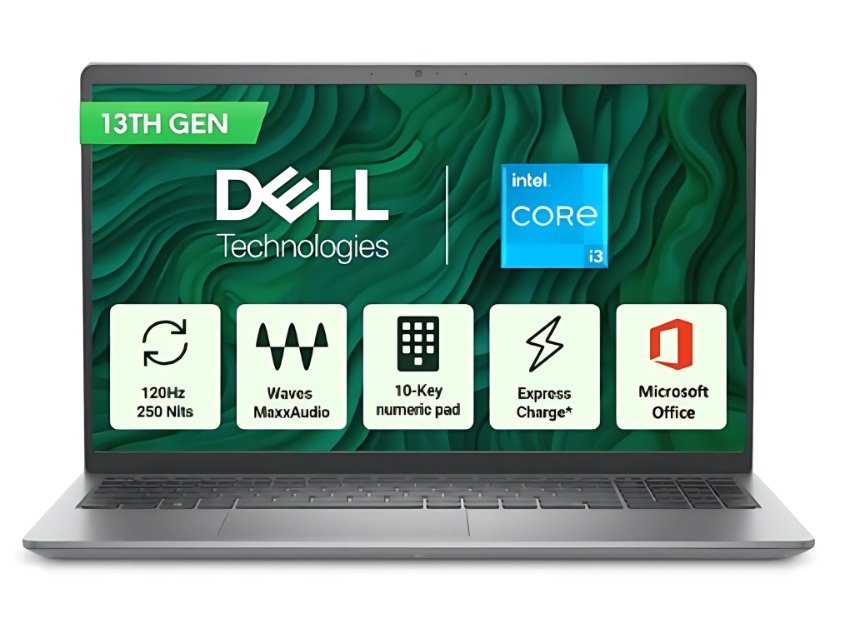
- Price :-₹35,990 /-
Specifications:-
| Attributes | Details |
|---|---|
| Model Name | Vostro 3530 |
| Processor | Intel Core i3 13th Gen 1305U |
| Graphics | Intel Integrated UHD |
| RAM | 8 GB |
| Storage | 512GB SSD |
| Display | 15.6 Inch Full-HD Display |
| Battery Life | Up to 6-7 hours |
| Operating System | Windows 11 Home |
| MS Office | YES |
| Bluetooth Version | Yes |
| Wi-Fi Generation | Wi-Fi 5 |
| Backlit Keyboard | No |
| Warranty | 1 Year Onsite Warranty |
| Weight | 1.66 Kg |
Things to Avoid Before Buying a Student Laptop
While checking specs and features is important, knowing what to avoid can save you from regrets later. Here are some common mistakes students should avoid when buying a laptop under ₹40,000:
1. Choosing HDD Over SSD
Traditional HDD laptops may look cheaper, but they are slow. Always go for an SSD laptop for faster booting, quick app launches, and smoother multitasking.
2. Settling for 4GB RAM (Without Upgrade Option)
Some laptops still come with only 4GB RAM. This will limit multitasking in 2025. Make sure your laptop has 8GB RAM or at least an upgrade option.
3. Ignoring Display Quality
A low-resolution or dim display can strain your eyes during long study hours. Always prefer a Full HD display (1920×1080) for clarity and comfort.
4. Buying Without Checking Battery Backup
Students often need laptops for classes, travel, or library use. Avoid laptops with less than 5 hours of battery life—go for 6–8 hours minimum.
5. Overlooking Keyboard & Build Quality
A stiff or uncomfortable keyboard can affect your typing speed during assignments. Always check if the keyboard is comfortable and durable.
6. Ignoring Brand Warranty & Service Support
Cheap laptops from unknown brands might fail quickly. Stick to trusted brands like HP, Dell, Lenovo, ASUS, or Acer with good after-sales service in India.
Final Thoughts
If you’re a student looking for the best laptop under ₹40,000 in 2025, focus on models with SSD storage, 8GB RAM, and a reliable processor. These specs ensure smooth performance for online classes, projects, and even light coding.
Top brands like HP, Dell, Lenovo, ASUS, and Acer offer trusted options in this range, so go with the one that best suits your needs. Remember, the right laptop isn’t just about budget—it’s about choosing a device that can support your studies today and your career tomorrow.
FAQs About best laptop for students under 40000(2025)
- Q1. Is ₹40,000 enough to buy a good laptop for students in 2025?
Yes, absolutely. With a budget of ₹40,000, students can easily find laptops that are powerful enough for online classes, assignments, presentations, programming, and even light content creation.
- Q2. Which is better for students – Intel or AMD laptops under ₹40,000?
Both are good, but it depends on your needs. Intel i3/i5 (latest gen) laptops are reliable for everyday tasks, while AMD Ryzen 3/5 laptops often give better multitasking and battery efficiency in this price range.
- Q3. Is SSD storage better than HDD for student laptops?
Yes. An SSD (Solid State Drive) is much faster than an HDD. It makes booting, app launching, and multitasking smoother, which is important for students who need quick performance.
- Q4. How much RAM is recommended for a student laptop under ₹40,000?
Most laptops in this budget come with 8GB RAM, which is ideal for students. It ensures smooth multitasking and can easily handle apps like MS Office, Zoom, Google Meet, and even light coding or designing.
- Q5. Can I use a laptop under ₹40,000 for coding and programming?
Yes. Laptops in this range can handle basic to intermediate coding, web development, and programming software like VS Code, Python, and Java. For heavier tasks like Android Studio or big projects, upgrading RAM or choosing a Ryzen 5 model is better.
- Q6. Which laptop brand is most reliable for students in India under ₹40,000?
Popular and trusted brands include HP, Dell, Lenovo, ASUS, and Acer. These brands provide good build quality, performance, and after-sales service in India.
- Q7. Are laptops under ₹40,000 good for online classes and multitasking?
Yes. With 8GB RAM + SSD storage, most laptops in this range can easily handle Zoom, Google Meet, online study apps, and multitasking without lag.
- Q8. Is battery life good in laptops under ₹40,000 for students?
Yes, many laptops in this range offer 6–8 hours of battery backup, which is more than enough for a full day of classes and assignments.
- Q9. Can students play games on laptops under ₹40,000?
These laptops are not designed for heavy gaming, but they can handle casual or light games smoothly. If gaming is a priority, look for models with integrated AMD Radeon graphics or Intel Iris Xe.
- Q10. What should students check before buying a laptop under ₹40,000?
Here are the key things to consider:
Processor: Intel i3 / Ryzen 3 (or better)
RAM: 8GB (upgradeable preferred)
Storage: SSD (256GB or 512GB)
Display: Full HD for clarity
Battery: At least 6 hours backup
Keyboard: Comfortable for long typing sessions
Disclaimer
The laptops, specifications, and prices mentioned in this article are based on research and available information as of 2025. Actual product details may vary by seller, location, and time. Please verify all features, configurations, and warranty details on the official brand website or from authorized retailers before making a purchase. This content is for informational purposes only and should not be treated as professional buying advice.
best laptop for coding under 30000 in india(2025)
best laptop under 60000 for coding(2025)
best laptops under 45000 for coding(2025)