Best Laptops Under 50000 with i7 Processor and 16GB RAM: Finding the best laptop under ₹50,000 with i7 processor and 16GB RAM in 2025 is not easy. Most budget laptops come with i5 or Ryzen 5, but i7 + 16GB RAM combo gives you a serious performance boost for multitasking, gaming, editing, and everyday use.
Think of it this way – if your laptop is your “daily partner”, then i7 + 16GB RAM makes sure it never slows you down, whether you are:
A student attending online classes and coding projects
A gamer who wants smooth FPS in mid-range games
A content creator who edits videos and streams
Or simply someone who wants a future-proof laptop
In this post, I’ll share the best options under ₹50,000, explain their strengths and weaknesses, and help you decide which laptop is right for you.
✅ Things to Check Before Buying a Laptop Under ₹50,000 (i7 + 16GB RAM)
Buying a laptop is not just about processor and RAM. Here are the key things you must look at before finalizing:
Processor Generation (Gen Matters!)
Always check the generation.
13th Gen i7 > 12th Gen i7 > 11th Gen i7.
Newer gen means better performance + battery efficiency.
RAM & Upgradability
16GB RAM is enough for gaming, editing, and multitasking.
But make sure the laptop supports future upgrades (32GB or more).
Storage (SSD vs HDD)
Prefer SSD (NVMe) over HDD for lightning-fast boot and app load times.
512GB SSD is sweet spot; 1TB SSD is even better.
Display & Build Quality
At least Full HD (1920×1080) resolution.
IPS panel = better colors for movies & editing.
Slim & lightweight builds are better for portability.
Battery Life
On average, budget i7 laptops give 4–6 hours.
If you’re a traveler or student, battery backup matters a lot.
Graphics (Integrated vs Dedicated GPU)
At this price, most laptops come with integrated Intel Iris Xe graphics.
Enough for casual gaming, editing, and streaming.
But not for AAA high-end gaming.
After-Sales Support & Warranty
Stick to brands with good service networks in India (Lenovo, Acer, MSI, Infinix are decent in this range).
⚡ Quicklist – Best Laptops Under ₹50,000 with i7 & 16GB RAM (2025)
✅ Processor Generation – Always prefer 12th/13th Gen i7
✅ RAM – Minimum 16GB for smooth multitasking
✅ Storage – Go for SSD (512GB or 1TB NVMe)
✅ Display – At least Full HD (1080p) IPS panel
✅ Battery – Check reviews, aim for 4–6 hrs backup
✅ Graphics – Integrated Iris Xe is fine for casual gaming/editing
✅ Build & Weight – If you travel a lot, choose slim & lightweight models
✅ After-Sales Support – Prefer brands with service centers near you
Lenovo V14
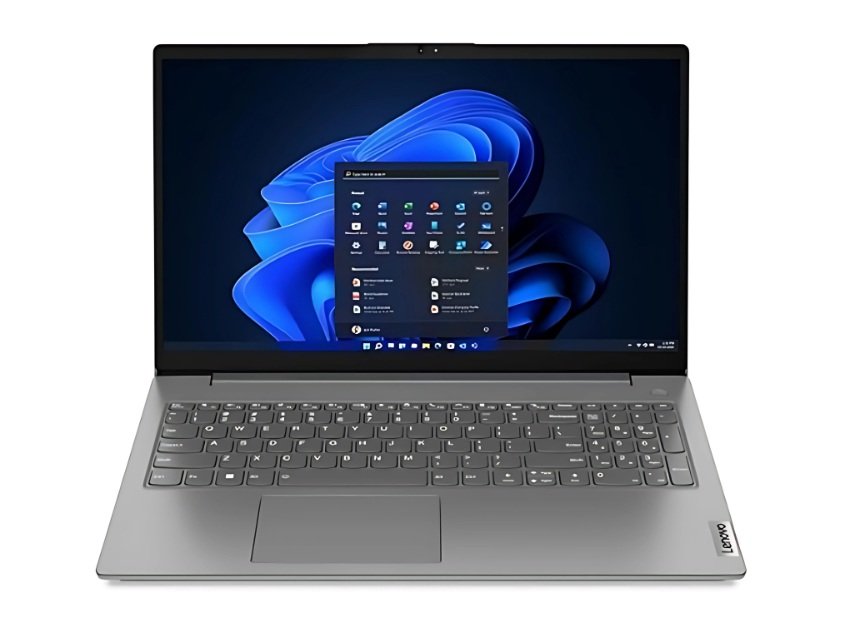
Price:- ₹49,390 /-
Specification:-
| Specification | Details |
|---|---|
| Processor | Intel Core i7-12th Gen (e.g. 1255U) |
| RAM | 16 GB (usually DDR4 or DDR5, single or dual channel) |
| Storage | 512 GB SSD (NVMe) |
| Display | 14″ / 15.6″ Full HD (1920×1080), IPS / TN (variant dependent) |
| Graphics | Integrated (Intel Iris Xe) |
| Battery | ~ 35–45 Wh (depending on model) |
| Weight | ≈ 1.5-1.8 kg (variant dependent) |
| Ports | USB Type-A, USB Type-C, HDMI, audio jack, etc. |
| Warranty & Support | Lenovo’s service network in India |
I used Lenovo V-series laptops before for college work. V14 feels sturdy for its class. It’s not ultra-slim, but you won’t feel you’re carrying a brick either. The hinge feels solid, keyboard decent (not premium, but usable), and for day-to-day tasks it performs comfortably.
In heavy stress (video rendering, multitasking, many browser tabs), it will warm up, but manageable. If you’re expecting “gaming beast” from this class, you’ll be disappointed — but for mid-level use it’s reliable.
✅ Pros & ❌ Cons
✅ Pros
✅ Solid build quality — feels dependable
✅ Good multitasking performance with i7 + 16 GB
✅ Lenovo’s service presence in India (ease of repair)
❌ Cons
❌ Battery life is average — 4–5 hours under light use
❌ Display brightness & color gamut may not impress
❌ Integrated GPU limits gaming to lighter titles
Best Use Cases
Students doing coding, assignments, Office / Excel heavy work
Office professionals handling multiple apps, spreadsheets
Light video / photo editing (1080p)
Content consumption, browsing, media
MSI Modern 14
Price:- ₹49,990 /-
Specification:-
| Specification | Details |
|---|---|
| Processor | Intel Core i7-12th Gen (1255U or similar) |
| RAM | 16 GB (often soldered + expansion slot) |
| Storage | 512 GB SSD (NVMe) |
| Display | 14″ Full HD IPS panel |
| Graphics | Integrated Intel Iris Xe |
| Battery | ~ 52 Wh (model dependent) |
| Weight | ≈ 1.3–1.4 kg (light for its class) |
| Ports | USB-C, USB-A, HDMI, audio jack, etc. |
| Warranty & Support | MSI service network (check your city) |
One thing I loved about the MSI Modern series is its “feel light but do heavy work” nature. The 14″ form gives you portability without feeling cramped. Typing is comfortable, trackpad decent. During my editing tasks (1080p timeline), it handled fine.
However, when pushing to heavy workloads (like 4K export, many plugins), it starts to struggle. But for its price bracket, it gives excellent balance.
✅ Pros & ❌ Cons
✅ Pros
✅ Very portable & light — great for carry
✅ Solid thermal design for under 50K class
✅ Good for productivity + casual creative work
❌ Cons
❌ Integrated graphics limit for high-end gaming
❌ RAM may be soldered in some variants (less upgrade flexibility)
❌ Screen brightness might struggle under strong sunlight
Best Use Cases
Students / professionals needing portability
Writers, coders, bloggers
Light video/photo editing, streaming
Productivity tasks, multitasking
MSI Modern 15
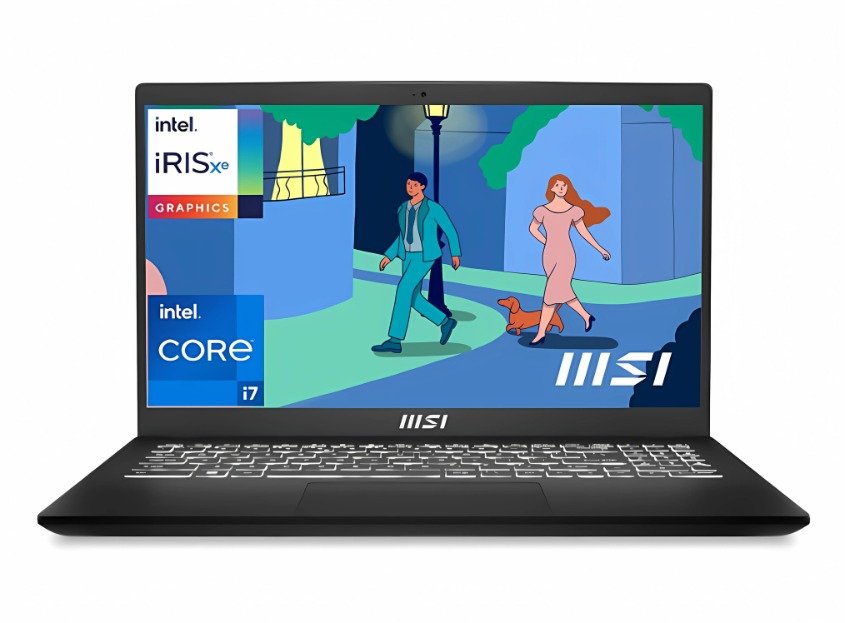
Price:- ₹47,990 /-
Specification:-
| Specification | Details |
|---|---|
| Processor | Intel Core i7-12th Gen |
| RAM | 16 GB (expandable in some models) |
| Storage | 512 GB NVMe SSD |
| Display | 15.6″ Full HD IPS |
| Graphics | Integrated Intel Iris Xe |
| Battery | ~ 52 Wh or more (depending) |
| Weight | ≈ 1.7–1.9 kg |
| Ports | Standard USB, USB-C, HDMI etc. |
| Warranty | MSI service network |
If you prefer a bigger screen for work (spreadsheets, editing, multitasking), the MSI Modern 15 is a nice pick. I used a 15.6″ model once — more room, less strain. The tradeoff is slightly more weight.
Thermals still decent; keyboard is spacious. But when on desk for long hours, the weight is noticeable in a backpack.
✅ Pros & ❌ Cons
✅ Pros
✅ Bigger display – useful for multitasking
✅ Same internals as Modern 14, so good performance
✅ Stylish looks + MSI branding
❌ Cons
❌ Slightly heavier — portability takes hit
❌ Battery drains a bit faster under load
❌ Integrated GPU limits for heavy gaming
Best Use Cases
Designers or editors who like more workspace
Office users working with large sheets, multiple windows
Students doing coding, or multitasking
Acer Aspire 3
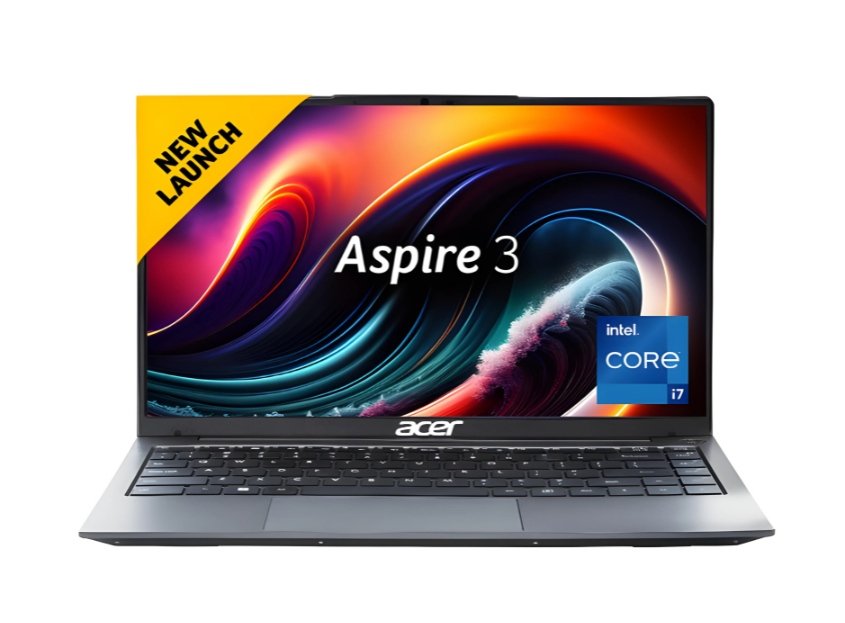
Price:- ₹48,950 /-
Specification:-
| Specification | Details |
|---|---|
| Processor | Intel Core i7-12th Gen |
| RAM | 16 GB DDR4 / DDR5 |
| Storage | 512 GB SSD (NVMe) |
| Display | 15.6″ Full HD (1920×1080) |
| Graphics | Integrated Intel Iris Xe |
| Battery | ~45–50 Wh |
| Weight | ~1.9 kg (slightly heavier) |
| Ports | USB-A, USB-C, HDMI, etc. |
| Warranty Support | Acer service in India |
Acer Aspire series has always been about “value for money.” The Aspire 3 gives good specs for what you pay. It’s not the flashiest, but you get the performance. I found keyboard travel okay, hinge average, but overall dependable.
Because it’s a 15.6″ model, portability is less. In a crowded bag with books, you’ll feel the weight.
✅ Pros & ❌ Cons
✅ Pros
✅ Solid performance for productivity & moderate creative work
✅ Trusted brand with decent service
✅ Good cooling in many variants
❌ Cons
❌ Heavier, less ideal for travel
❌ Build material may feel plastic / less premium
❌ Display may not be very bright
Best Use Cases
Students who mostly use laptop on desk
Office users, data entry, spreadsheets
Light editing, streaming
Anyone who doesn’t need ultra portability
Infinix ZEROBOOK 13(i7 13th Gen 13700H)
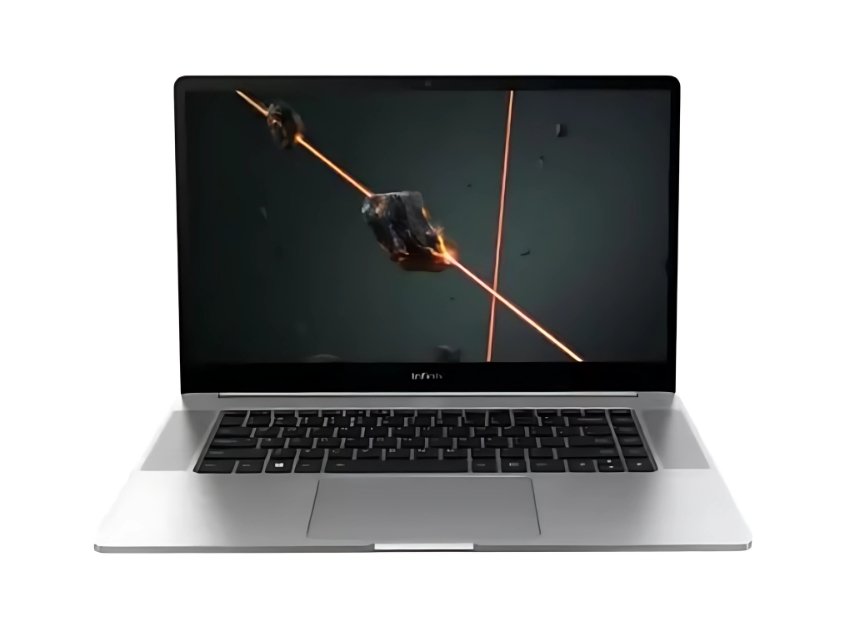
Price:- ₹45,990 /-
Specification:-
| Specification | Details |
|---|---|
| Processor | Intel Core i7-13th Gen (e.g. 13700H) Flipkart |
| RAM | 16 GB (LPDDR5X or variant) Flipkart |
| Storage | 512 GB SSD |
| Display | ~13″ / 13.3″ class (ultraportable) |
| Graphics | Integrated Intel Iris Xe / newer integrated GPU |
| Battery | Moderate (~40–50 Wh) |
| Weight | Very lightweight (likely ~1.2 kg or less) |
| Ports | USB-C, USB-A, etc. |
| Warranty / Support | Infinix presence in India – but newer brand, so mixed support |
ZEROBOOK 13 is interesting — Infinix trying to push into laptop market aggressively. It claims premium specs (13th gen i7) at competitive price. For someone wanting latest chip in lightweight body, this is tempting.
However, since it’s a newer entrant, expect quirks: software optimization, driver maturity, after-sales. I’ve seen users on forums expressing trust issues — “how can specs be so strong for price?” Reddit
Still, for productivity, coding, light editing, and portable use, this is a strong bet if you’re okay taking a little risk.
✅ Pros & ❌ Cons
✅ Pros
✅ Latest 13th Gen CPU — more future proof
✅ Ultra portable, light body
✅ Good value for the specification
❌ Cons
❌ Brand is newer — after-sales service may not match premium brands
❌ Battery life may suffer under heavy loads
❌ Drivers, software optimizations may have early bugs
Best Use Cases
Users who travel / carry laptop everywhere
Bloggers, writers, remote workers, coders
Light video editing (1080p)
Productivity, multitasking
Infinix Y4 Max Series(i7 13th Gen 1355U)
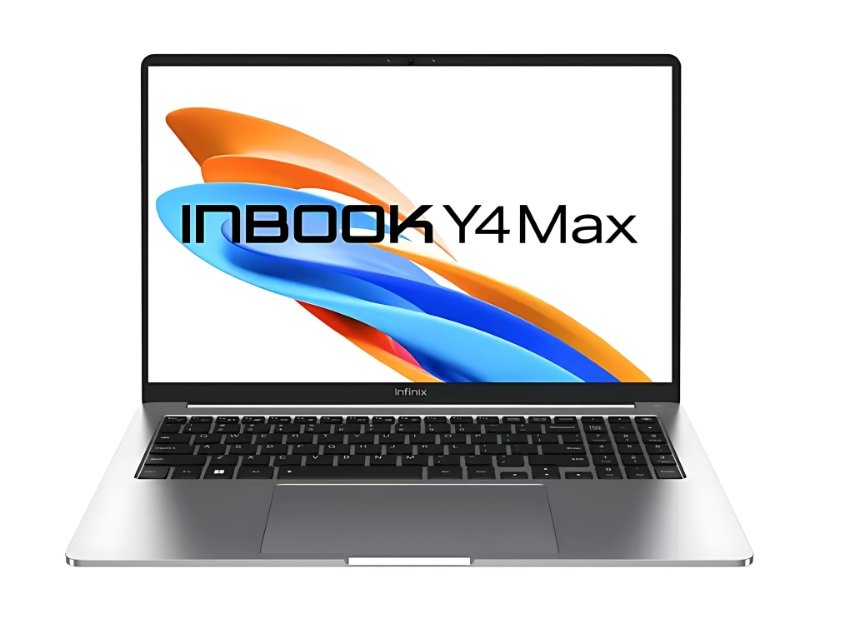
Price:- ₹49,990 /-
Specification:-
| Specification | Details |
|---|---|
| Processor | Intel Core i7-1355U (13th Gen) |
| RAM | 16 GB LPDDR4X |
| Storage | 512 GB SSD |
| Display | 16″ Full HD+ (1920×1200) |
| Graphics | Intel Iris Xe |
| Battery | ~50 Wh (≈ 4 hrs) |
| Weight | ~1.7–1.8 kg |
| Ports | USB-C, USB-A, HDMI, Audio Jack |
| OS | Windows 11 Home |
| Warranty | 1 Year (Infinix) |
Y4 Max gives a larger screen, which is nice for viewing, multitasking, watching movies. But that comes at cost of portability and battery life. It’s like carrying a mini monitor with power inside.
Because Infinix is new in laptop game, you may find software / firmware updates more frequent, and occasional bugs. But the value-to-spec is appealing.
✅ Pros & ❌ Cons
✅ Pros
✅ Bigger display for immersive work / media
✅ Strong spec (if the i7 variant is real, you get high end chip in this class)
✅ Good value on paper
❌ Cons
❌ Heavier — less ideal for commuting
❌ Battery under stress will drain faster
❌ As with other Infinix models, service & software maturity is a question
Best Use Cases
Creative users who like a bigger screen
Streaming, media consumption
Students doing project work
Desk-based work mostly
Infinix INBook X3 Slim
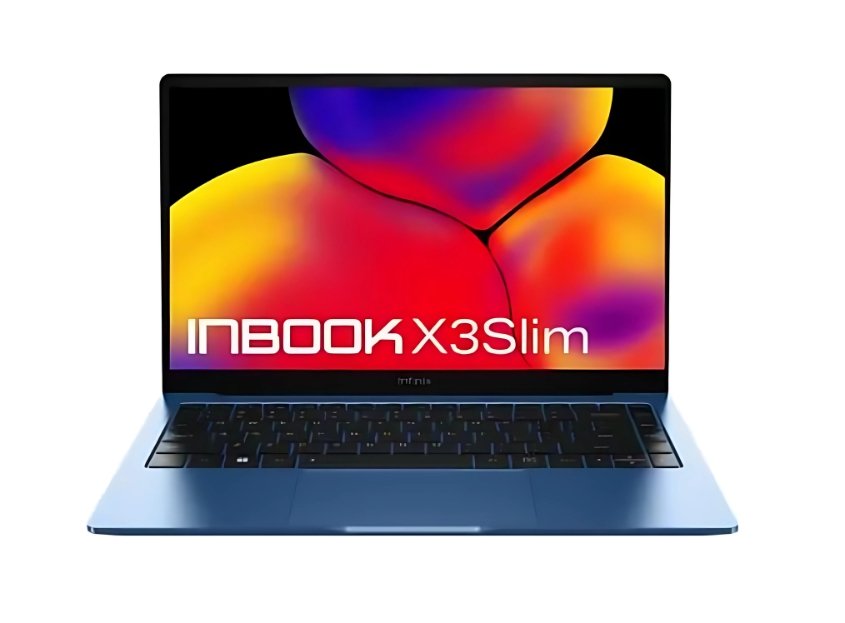
Price:- ₹38,990 /-
Specification:-
| Specification | Details |
|---|---|
| Processor | Intel Core i7-1255U (12th Gen) |
| RAM | 16 GB / 32 GB LPDDR4X (non-upgradable) |
| Storage | 512 GB SSD |
| Display | 14″ Full HD (1920×1080), IPS |
| Graphics | Intel Iris Xe |
| Battery | ~42 Wh (≈ 4–5 hrs) |
| Weight | ~1.3–1.4 kg |
| Ports | USB-C, USB-A, HDMI, Audio Jack |
| OS | Windows 11 Home |
| Warranty | 1 Year |
If an X3 Slim gives 32 GB RAM out of box, that’s impressive. For heavy multitaskers, VM users, code developers, that extra RAM is a huge benefit. But battery and thermals become bigger challenge in slim bodies — heat management is harder.
If you opt for this, check whether RAM is upgradeable, how good the cooling is, and whether after-sales support is good.
✅ Pros & ❌ Cons
✅ Pros
✅ Very strong RAM capacity (32 GB) for future-proofing
✅ Likely good for multitasking heavy workloads
✅ Attractive, slim form
❌ Cons
❌ Slim builds often compromise battery or cooling
❌ Risk of thermal throttling
❌ Since variant is niche, service / parts may be harder
Best Use Cases
Developers running VMs, multiple heavy apps
Creative professionals working with large files
Power users who need headroom
Users okay with keeping laptop mostly on desk
Infinix INBook Y3 Max Series
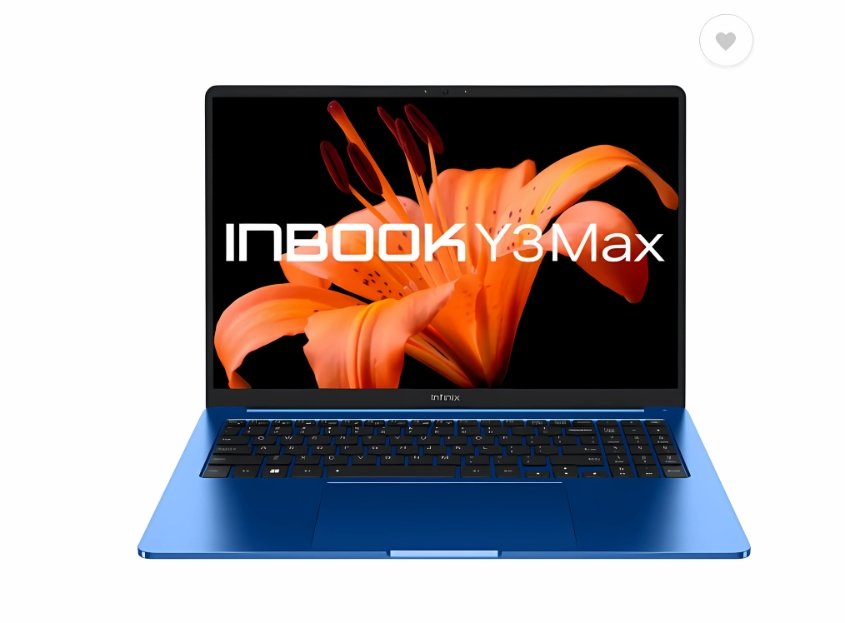
Price:- ₹44,990 /-
Specification:-
| Specification | Details |
|---|---|
| Processor | Intel Core i7-1255U (12th Gen) |
| RAM | 16 GB LPDDR4X |
| Storage | 512 GB SSD |
| Display | 16″ Full HD+ (1920×1200) |
| Graphics | Intel Iris Xe |
| Battery | ~50 Wh |
| Weight | ~1.7–1.9 kg |
| Ports | USB-C, USB-A, HDMI, Audio Jack |
| OS | Windows 11 Pro |
| Warranty | 1 Year |
Y3 Max gives a bit older gen (12th) but still good performance. The “Max” size is useful if you like more screen real estate for editing, spreadsheets, watching media.
As always with larger laptops, battery and portability cost you. Also Infinix being relatively new means you should check service support in your city.
✅ Pros & ❌ Cons
✅ Pros
✅ Larger display — better for multitask / media
✅ Decent performance for its class
✅ Possibly better thermal headroom due to larger body
❌ Cons
❌ Not as portable
❌ Battery drains faster
❌ Slightly older chip generation vs ZEROBOOK 13
Best Use Cases
Users wanting a balance of screen size + power
Content viewers, media lovers
Workstations for student / office use
Editing on 1080p timeline
Infinix INBook X2 Plus

Price:- ₹39,990 /-
Specification:-
| Specification | Details |
|---|---|
| Processor | Intel Core i7-1195G7 (11th Gen) |
| RAM | 16 GB LPDDR4X |
| Storage | 1 TB SSD |
| Display | 15.6″ Full HD (1920×1080), IPS |
| Graphics | Intel Iris Xe |
| Battery | ~50 Wh |
| Weight | ~1.5–1.6 kg |
| Ports | USB-C, USB-A, HDMI, Audio Jack |
| OS | Windows 11 Home |
| Warranty | 1 Year |
This one is interesting because of 1 TB SSD — you rarely see that at this price. If you store many large files, this reduces need for external drives. But 11th Gen is older; performance will lag behind 12th / 13th gen in some tasks (efficiency, single-core, power consumption).
I’d use this if price difference is significant and you value storage. Just be aware of age of chipset.
✅ Pros & ❌ Cons
✅ Pros
✅ Big storage — 1 TB SSD is a strong plus
✅ Good for general productivity & media
✅ Balanced specs for budget segment
❌ Cons
❌ Older generation i7 – less efficient vs newer chips
❌ Integrated graphics again limiting for heavy gaming
❌ Battery & thermals might not match newer designs
Best Use Cases
Users needing lots of storage (media, projects)
Office / work / education usage
Light editing, streaming
Those okay sacrificing a bit of performance for storage
Comparison Table:-
| Laptop | Processor | RAM | Storage | Display | Weight | Best For |
|---|---|---|---|---|---|---|
| Lenovo V14 | i7 12th Gen | 16 GB | 512 GB SSD | 14″ FHD | ~1.6 kg | Students & Office users 👨💻 |
| MSI Modern 14 | i7 12th Gen | 16 GB | 512 GB SSD | 14″ FHD | ~1.4 kg | Travelers & Coders ✈️ |
| MSI Modern 15 | i7 12th Gen | 16 GB | 512 GB SSD | 15.6″ FHD | ~1.8 kg | Designers & Multitaskers 🎨 |
| Acer Aspire 3 | i7 12th Gen | 16 GB | 512 GB SSD | 15.6″ FHD | ~1.9 kg | Budget Power Users 💼 |
| Infinix ZEROBOOK 13 | i7 13th Gen | 16 GB | 512 GB SSD | 15.6″ FHD | ~1.5 kg | Heavy Multitasking 🚀 |
| Infinix Y4 Max | i7 13th Gen | 16 GB | 512 GB SSD | 16″ FHD+ | ~1.8 kg | Media Lovers & Students 🎬 |
| Infinix X3 Slim | i7 12th Gen | 16–32 GB | 512 GB SSD | 14″ FHD | ~1.3 kg | Power Multitaskers 🔥 |
| Infinix Y3 Max | i7 12th Gen | 16 GB | 512 GB SSD | 16″ FHD+ | ~1.9 kg | Business & Office Users 🏢 |
| Infinix INBook X2 Plus | i7 11th Gen | 16 GB | 1 TB SSD | 15.6″ FHD | ~1.5 kg | Storage-Hungry Users 📂 |
Final Thoughts – Which Laptop Should You Pick?
Buying a laptop under ₹50,000 with i7 processor and 16GB RAM sounds simple, but when you see so many options, it’s natural to get confused. The good news? You can’t really go wrong with any of these picks — but the right choice depends on your usage.
👉 If you’re a student or office professional, go for Lenovo V14 or Acer Aspire 3 — they’re reliable, practical, and have strong after-sales support.
👉 If you want something lightweight & portable for travel or coding, MSI Modern 14 is the most comfortable to carry around.
👉 If you prefer a bigger display for multitasking or designing, MSI Modern 15 or Infinix Y4/Y3 Max will give you that extra space.
👉 If you’re a power user or creator who wants the latest chip, Infinix ZEROBOOK 13 (13th Gen i7) is a beast in this budget.
👉 If you need tons of storage, then Infinix INBook X2 Plus with 1TB SSD is the clear winner.
👉 And if you’re someone who runs heavy multitasking apps, the Infinix X3 Slim with 32GB RAM is unmatched in this price segment.
💡 Final Tip: Don’t just chase specs. Think about your own daily use — do you want portability, storage, battery, or raw performance? Once you answer that, the “best laptop” becomes very clear for you.
So, no more confusion — the right i7 + 16GB laptop under ₹50,000 is waiting for you. Just match it with your lifestyle, and you’ll have a partner that won’t slow you down for years.
FAQs
1. Which is the best laptop under ₹50,000 with i7 and 16GB RAM in 2025?
The Infinix ZEROBOOK 13 (13th Gen i7) is the best choice under ₹50,000 in 2025 because it offers the latest processor, 16GB RAM, and strong performance for multitasking.
2. Can I get a gaming laptop under ₹50,000 with i7 and 16GB RAM?
Yes, you can play casual and mid-level games with laptops like the MSI Modern 15 or Infinix Y4 Max, but for high-end AAA gaming, you will need a dedicated GPU which is usually not available under ₹50,000.
3. Is 16GB RAM enough for students and professionals in 2025?
Yes, 16GB RAM is more than enough for students, office work, coding, and even moderate video editing in 2025. It ensures smooth multitasking and future-proof performance.
4. Which laptop has the best storage under ₹50,000 with i7 processor?
The Infinix INBook X2 Plus (11th Gen i7) offers 1TB SSD storage, making it the best option if you need maximum space for files, projects, or videos.
5. Which is better: 11th Gen i7 or 13th Gen i7 under ₹50,000?
The 13th Gen i7 is more powerful and efficient than 11th Gen i7. If available under ₹50,000 (like in ZEROBOOK 13), it’s the better option for long-term use.
6. Are Infinix laptops reliable compared to Acer, Lenovo, or MSI?
Infinix laptops offer great specs at a lower price, but after-sales service is still growing in India. Acer, Lenovo, and MSI have more established service networks.
7. Which laptop under ₹50,000 with i7 and 16GB RAM is best for video editing?
The MSI Modern 15 and Infinix ZEROBOOK 13 are great for video editing thanks to their large displays, 16GB RAM, and strong multitasking performance.
Disclaimer
The laptops listed here are based on online availability, specifications, and user reviews as of 2025. Prices may vary across sellers and locations. We do not guarantee accuracy of every detail — please double-check with the official brand or retailer before buying. Our goal is to help you make an informed decision, but the final purchase is your responsibility.
🔥Top 7 Best Gaming Laptops Under 80000 (2025)
🔥Top 10 Best Gaming Laptops Under 1 Lakh (2025)
🔥Top 7 Best Gaming Laptops Under 60000 in 2025
🔥Best Gaming Laptop Under 50000 for Students & Gamers in 2025